For travelers who need internet access abroad, we have evaluated several market leaders to see which provider offers the most reliable connection and easiest setup. The best eSIM apps for iPhone include Ohayu for multi-country travel and rural coverage, Jetpac for added travel perks like lounge access, and Airalo for its extensive global network.
Since Apple started using the eSIM feature for iPhone XS in 2018, it has marked a new norm for mobile connectivity. Modern iOS hardware allows users to store multiple digital profiles – an iOS eSIM app simplifies the process of buying and activating data plans. It’s especially convenient for travelers who want to toggle between a home line and a local mobile service without opening the SIM tray.
To give a clear picture of the eSIM apps, we have tested over twenty services during two months using different iPhone models. We compared the prices and tested the installation, activation, available networks, and overall app UI. The five providers listed below had the best results.
Best eSIM Apps for iPhone
Selecting a provider depends on whether you value technical support, low costs, or regional variety. After reviewing the market, we have identified the specific leaders. Our picks:
- Best for multi-country travel and rural coverage: Ohayu
- Best for frequent flights and voice calls: Jetpac
- Best for user experience and design: Airalo
- Best for budget travel: Yoho Mobile
- Best for plans and payment models variety: Sim Local
Ohayu
The provider’s app is clean and iOS-optimized – it can install the eSIM profile directly in-app. It automatically identifies whether a customer device supports eSIM. The network name is clearly visible during the setup and in the settings. The provider connects to multiple networks in 190+ countries so that the device switches between networks automatically, selecting the strongest available signal.
Data plan activation is 30 days from purchase. You can make 5 reinstallations on the same device in case of unexpected travel situations, like device rebooting, accidental eSIM deletion, or simply visiting the same destination multiple times within the validity period.
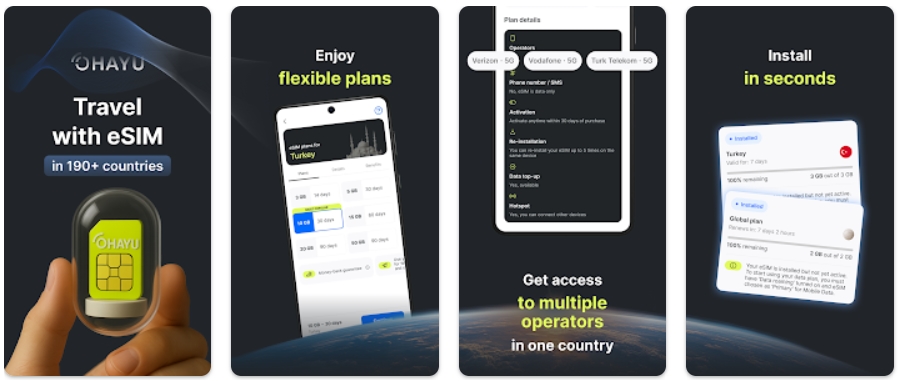
Features:
- Installation and setup: Supports direct in-app, QR-code, and manual installation.
- Plans: Provides country eSIMs that last 14-90 days and global monthly subscriptions with auto-renewal every 30 days. Top-ups are available to users who need more data.
- Use cases: Use as the main internet line while keeping a primary home number active to use iMessage. The multi-network support feature helps to stay connected in remote and rural areas.
- Objective limitations: The service is data-only; it does not offer a phone number for SMS or voice calls.
Our experience
The provider’s purchase flow is straightforward and intuitive, and upon arrival in our European destination, the activation process took less than 1 minute with in-app setup on the iPhone 15 Pro.
Our initial plan was to test the provider in Switzerland and Germany and use two different eSIMs, but then we made a budgeting decision to pick the global plan, and 2 GB of data that worked in both destinations cost us $9.99. During tests, we observed steady speeds with 5G being a primary signal in both countries.
Jetpac
Jetpac offers international voice packs for making in-app calls in 50+ countries with auto-connection to local networks. The service includes unlimited hotspot sharing and airport lounge access (beneficial during flight delays). Plus, travelers can use WhatsApp, Google Maps, Uber, and Grab when gigabytes run out.
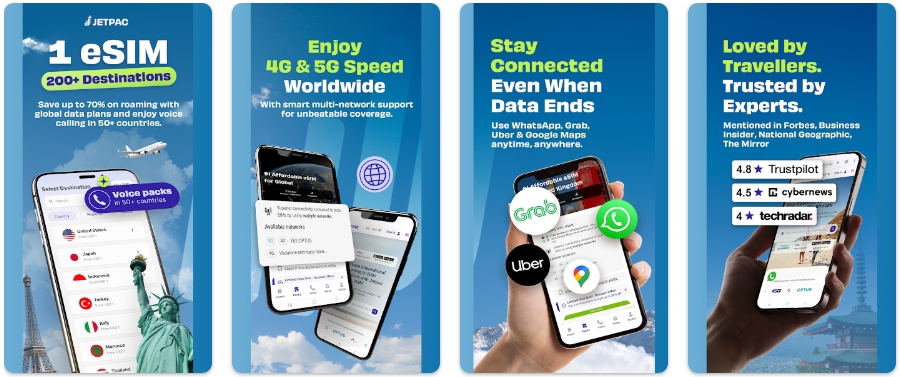
Features:
- Installation and setup: Uses a standard QR code or manual entry; the process is straightforward but requires following a few manual steps in the iOS settings menu.
- Plans: Primarily focuses on regional bundles, such as Southeast Asia or Europe, with clear data caps.
- Use cases: Best for the frequent flyer who wants the added security of airport lounge access if a flight is delayed by more than an hour.
- Objective limitations: Their global reach is slightly small (95 countries), so check their country list before a multi-continent trip.
Our experience
The UX is clean, with intuitive navigation to the data packs, voice calls, and provider perks. We have used their eSIM in Morocco, and the experience was very good. But we noticed that switching between the Jetpac line and a physical SIM sometimes required a quick toggle of Airplane Mode to reset the network search.
Airalo
The Airalo app has a clear interface, leading directly to the eSIM store, where it immediately issues a warning if a phone is eSIM-incompatible. The provider offers both data-only (limited and unlimited) and bundled (GB + mins + SMS) options. Their cashback program allows you to earn in-app currency (“Airmoney”) as a reward for future purchases.
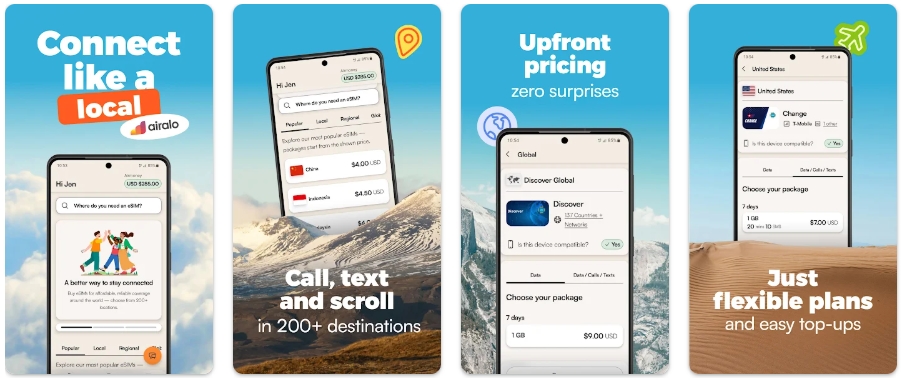
Features:
- Installation and setup: In-app setup, QR code installation, and manual instructions.
- Plans: Provides a list of over 200 countries with options for 1–50 GB packs, unlimited data plans, and mixed bundles (gigabytes, voice, and texts).
- Use cases: Perfect for multi-country trips where you might visit several nations in a single week.
- Objective limitations: according to user reports, the provider may limit internet speeds and impose caps on unlimited plans. This might depend on the connected network, but this is worth considering for those who plan to rely on the hotspot feature often.
Our experience
We tested it on an older model, the iPhone 12. Although the hardware is outdated, the service worked. But on our visit to Stockholm, it mistakenly recognized Telenor as the supported network. While Telenor didn’t work, the phone still used Telia even though it wasn’t on the official list.
Yoho Mobile
The Yoho Mobile’s interface is iPhone-friendly and enables direct profile installation. The provider targets a budget-conscious traveler, often offering some of the lowest prices in the US and parts of Asia. They offer trials to new users within a limited period so that they can determine whether they are interested in it. After that, users can manually select the countries, number of days, and amount of gigabytes needed.
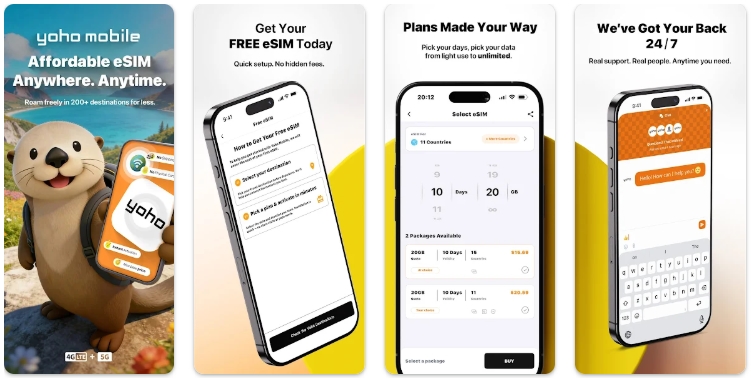
Features:
- Installation and setup: 1-click method, QR code delivery, and manual code entry.
- Plans: Packs from 1 to 30 days, starting from 100 MB (unlimited amounts are also available).
- Use cases: For weekly or monthly visits, if you need affordable mobile internet with a phone number.
- Objective limitations: A phone number is often available in an unlimited pack only (depending on the country).
Our experience
Nice prices and adequate speeds in China for maps and messaging, but we experienced occasional throttling when attempting to stream high-definition video in crowded areas. Plus, after 50 GB of high-speed connections (we chose an unlimited quota), speeds were reduced to 128 kbps (perhaps due to FUP).
Sim Local
The provider’s app has a cartoonish design geared toward Apple users. Once you have chosen a prepaid or pay-as-you-go plan (both provide GB + calls + SMS or just data), you can download it instantly with a few clicks. First-timers are also offered to try a service for free for 1 day in 80+ countries.
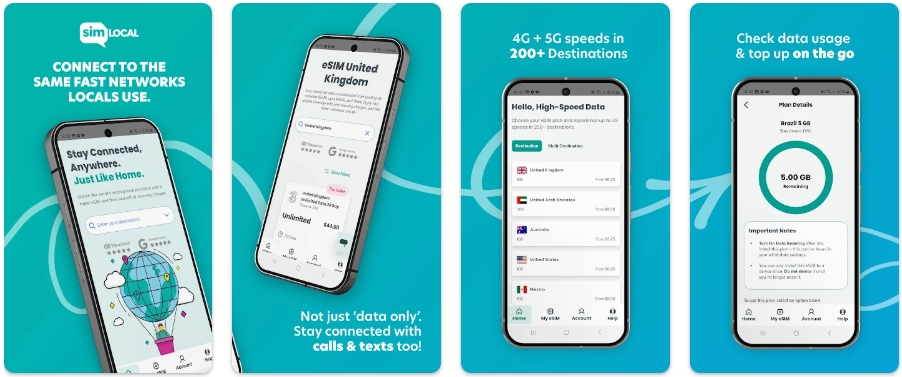
Features:
- Installation and setup: Download automatically or via code (scanning QR, entering code manually).
- Plans: They partner with local giants (like Vodafone or Orange) to provide “local-tier” speeds.
- Use cases: Best for travelers spending most of their trip in one country and wanting a local rate.
- Objective limitations: One plan includes only one operator.
Our experience
The activation was nearly instantaneous on our test device for a trip to Canada. But even with the right setup and paying extra to receive and make calls, it wasn’t always possible – the signal was either patchy 3G or slow 4G in Squamish.
A Brief Comparison of the iPhone eSIM Apps
| Provider | Best for | iPhone Installation | Key Features |
| Ohayu | Multi-country trips; Rural and remote travel. |
In-app, QR, manual | Automatic network selection, auto-compatibility check, in-app top-ups, reinstallations (up to 5), multi-network support, data usage tracking, hotspot. |
| Jetpac | Frequent flights; Voice calls. |
QR code, manual | Free use for essential apps (WhatsApp/Maps), multilingual interface, in-app voice calling. |
| Airalo | Wide range of options; Simple setup. |
In-app, QR, manual | Automated device check, top-ups, mixed data + voice/SMS support, multiple languages & currencies. |
| Yoho Mobile | Budget travel; Mid to long stays. |
In app, QR, manual | Regional phone numbers, journey history map, data usage control, currency, and language selection. |
| Sim Local | Local carrier routing; Plans variety. |
In-app, QR, manual | Different payment and data/voice plans, fast activation, multilingual interface, recognizable design. |
iPhone eSIM Basics
Understanding how your specific Apple handset works with digital profiles is the first step toward avoiding setup problems. Not all models have the same technical capabilities, and regional differences can drastically change your experience.
eSIM Support by Generation
Since the introduction of the XS model, Apple has been slowly phasing out the physical tray. While most global models still use a hybrid approach, the transition to a purely digital environment is accelerating.
| iPhone generation | Connectivity Type | Region Support |
| XR / XS / XS Max | 1 Nano-SIM + 1 eSIM | Global, USA, Canada, Puerto Rico, U.S. Virgin Islands, Japan |
| 11 / 11 Pro / 11 Pro Max | Global, USA, Canada, Puerto Rico, U.S. Virgin Islands | |
| SE (2020) | Global, USA, Canada, Puerto Rico, U.S. Virgin Islands, China | |
| 12 / 12 mini / 12 Pro / 12 Pro Max | Global, USA, Canada, Japan | |
| 13 / 13 mini / 13 Pro / 13 Pro Max | 2 eSIMs
or 1 Nano-SIM + 1 eSIM |
Global, Hong Kong, USA, Canada, Mexico, Japan, Saudi Arabia |
| SE (2022) | 1 Nano-SIM + 1 eSIM | Global, USA, Canada, Puerto Rico, Mexico, Saudi Arabia, U.S. Virgin Islands, Japan, Armenia, Belarus, Kazakhstan, Kyrgyzstan |
| 14 / 14 Plus / 14 Pro / 14 Pro Max | 8 eSIMs (max 2 at a time)
or 1 Nano-SIM + 1> eSIM (max 2 at a time) |
Global, USA, Canada, Japan |
| 15 / 15 Plus / 15 Pro / 15 Pro Max | Global, USA, Canada, Japan | |
| 16 / 16 Plus / 16 Pro / 16 Pro Max / 16e | Global, USA, Middle East, Canada, Mexico | |
| 17 / 17 Pro / 17 Pro Max |
Note: although you may have a capacity of 8 or more profiles, only two of them can be active simultaneously on newer hardware.
Pre-Purchase Verification
Check that your device is compatible before you make a purchase:
- Carrier lock: Settings -> General -> About -> Carrier Lock. When it reads “No SIM restrictions,” then you are all right.
- EID check: This is a unique digital ID. It can be found in Settings -> General -> About -> EID or by dialing *#06# (it is not a call, it is a device information screen, no fee).
eSIM Installation Methods for iOS
Most providers provide three methods of getting set up:
- In-App: The smoothest method. All you need to do is press a button in the application, and the iOS system takes care of the rest.
- QR code: The most common. You scan a code that was sent to your email with the help of the camera in the “Cellular” settings.
- Manual: You paste an “SM-DP+ Address” and an activation code into your settings.
Optimizing Roaming Settings
After setup, you need to tell your iPhone how to act. Set your new travel profile for “Cellular Data,” but keep your “Default Voice Line” as your primary number for receiving messages. Note that it is necessary to generally enable the travel line to use “Data Roaming” – check the notes of your specific provider to ensure.
Troubleshooting Network Connectivity
When you have signal bars, but the internet is not available, follow these steps:
- Turn “Airplane Mode” on (for 10 seconds) and off.
- Make sure the “Cellular Data” setting points to the new profile.
- Reboot the iPhone. It causes the hardware to re-authenticate with the nearest tower.
Summing Up
Modern travel goes beyond choosing the destination and planning itineraries; now it’s also about packing checklist tools and planning online connectivity. Identifying the best eSIM apps for iPhone requires matching personal travel needs with geographical destinations. Ohayu is a solid choice for those who plan multi-country trips with visits to remote and rural destinations, due to its support for connecting to multiple networks and reported stable signal. Jetpac’s perks with airport lounge access and messengers are useful to travelers who fly often and pass through large hubs, while Airalo’s users benefit from clean design and voice call support. Yoho Mobile offers budget-travel eSIM packages, and the Sim Local combines data packages with roaming, SMS and call upgrades.
Additionally, one of the main factors behind a smooth experience is hardware interaction. We recommend looking for eSIM apps for iPhone that allow direct in-app installation, automated device check and a clean interface adapted for iOS. It is also important to check how an eSIM app for iPhone manages network switching to ensure connection to the strongest signal. With more advanced hardware capable of storing ten or more digital profiles, all the mentioned features make a big difference.
Best eSIM Apps for iPhone – FAQs
Can I move my travel eSIM to another iPhone?
Usually, no. Most eSIM apps for iPhone lock the digital profile to your specific hardware once you activate it. If you switch phones or buy a new one during your trip, you’ll need to purchase a new plan.
Can I use my phone as a hotspot with a travel eSIM for iPhone?
It depends: many providers allow sharing, but “unlimited” options often set a cap on this feature. Always check whether tethering is allowed or limited before purchase.
Can I keep iMessage on my home number while using eSIM apps for iPhone?
Yes. Keep your primary line “On” in settings, but select the travel eSIM for “Cellular Data.” Your iPhone will continue using your home number for iMessage and FaceTime.
What happens if I delete my iPhone eSIM app profile?
If you remove the profile, the activation code usually won’t work a second time. However, some providers allow for reinstallations on the same device (e.g., Ohayu allows reinstallations up to 5 times) within a certain period of purchase. Never delete the profile until you are finished with your trip and back home.
Why does my iPhone show signal bars when there is no internet connection?
This usually happens because “Data Roaming” is switched off on an eSIM line. If the switch does not fix it, check whether your provider needs a manual APN update. In case none of the apps are loading, then you may be experiencing a problem with connectivity due to VPN, and a quick reset of the settings is needed.