Getting a new phone plan can feel like opening a mystery box. There are forms. There are settings. There may be a tiny SIM card hiding in a plastic tray. But with an eSIM, the tiny card disappears. So, is Telcel eSIM easy to set up for new customers? The short answer is: yes, usually. But it helps to know what to expect before you start tapping buttons.
TLDR: Telcel eSIM setup is usually simple for new customers if your phone supports eSIM and is unlocked. You will normally need a Telcel plan and a QR code or activation details from Telcel. Most of the setup happens in your phone settings and takes only a few minutes. The hardest part is making sure your device is compatible before you begin.
What Is a Telcel eSIM?
A Telcel eSIM is a digital SIM. It does the same job as a normal SIM card. It connects your phone to the Telcel mobile network. The big difference is that there is no plastic chip.
The “e” in eSIM stands for embedded. That means the SIM is built into your phone. You do not insert it. You do not lose it. You do not poke your phone with a tiny metal tool while hoping nothing breaks.
Instead, you activate the eSIM by scanning a QR code or entering details manually. Your phone then downloads the mobile plan. After that, you can call, text, and use data, depending on your Telcel plan.
Is It Easy for New Customers?
For most new customers, yes. Telcel eSIM setup is not scary. It is closer to setting up Wi-Fi than building a rocket.
But there are a few things you need first. If you have them, the process is smooth. If you do not, you may get stuck.
Here is the simple checklist:
- An eSIM compatible phone
- An unlocked device, if you bought it from another carrier
- A Telcel mobile plan
- A stable internet connection
- A Telcel eSIM QR code or activation information
If all of this is ready, the setup can take around 5 to 15 minutes. Sometimes it is even faster. Sometimes your phone needs a little restart nap.
Step 1: Check If Your Phone Supports eSIM
This is the most important step. Not every phone supports eSIM. Many newer phones do. Older phones may not.
Popular eSIM compatible phones often include newer models from:
- Apple iPhone
- Samsung Galaxy
- Google Pixel
- Motorola
- Huawei, depending on the model
But do not guess. Check your exact model. A phone name can be tricky. For example, one version of a phone may support eSIM. Another version may not.
On many phones, you can check by going to:
- Settings
- Cellular or Mobile Network
- Look for Add eSIM or Add Mobile Plan
If you see that option, good news. Your phone is probably ready for the eSIM party.
Step 2: Make Sure the Phone Is Unlocked
This part matters a lot. If your phone is locked to another carrier, a Telcel eSIM may not work. The phone may say “nope” in a very cold and rude way.
An unlocked phone can use plans from different carriers. A locked phone usually works only with the carrier that sold it.
If you are not sure, contact the carrier where you bought the phone. Ask if the phone is unlocked. You can also try using another carrier’s SIM, if you have one. But asking is often easier.
Step 3: Choose a Telcel Plan
New customers need a Telcel plan before using an eSIM. Telcel may offer prepaid and postpaid options, depending on what is available at the time. The best plan depends on how you use your phone.
Ask yourself:
- Do I use lots of mobile data?
- Do I stream videos often?
- Do I need calls and texts every day?
- Will I travel inside Mexico?
- Do I want prepaid control or a monthly bill?
If you mostly use WhatsApp, maps, music, and social media, you may want a plan with a healthy data amount. If you only use your phone lightly, a smaller plan may be enough.
Tip: Do not choose a plan just because it sounds fancy. Choose the one that matches your real life. Your wallet will thank you.
Step 4: Get the eSIM Activation Details
To activate a Telcel eSIM, you usually need a QR code or activation information from Telcel. This is the magic ticket. Your phone scans it and downloads your mobile plan.
New customers may need to get this through an official Telcel store, customer service point, or approved sales channel. Processes can change. So it is smart to confirm with Telcel before you go.
Bring your phone with you if you visit a store. That way, staff can help check compatibility. They may also guide you through activation. This can be very helpful if this is your first eSIM.

Step 5: Connect to Wi-Fi
Before you scan the QR code, connect your phone to Wi-Fi. This is important. Your phone needs internet to download the eSIM profile.
Think of it like ordering food online. You need internet to place the order. After the eSIM is active, your phone can use Telcel data. But at the start, Wi-Fi makes everything easier.
Also make sure your battery is not at 2%. That is drama nobody needs. Charge your phone first, or keep it plugged in.
Step 6: Add the eSIM on iPhone
If you use an iPhone, the steps are usually simple.
- Open Settings.
- Tap Cellular or Mobile Data.
- Tap Add eSIM.
- Choose Use QR Code.
- Scan the Telcel QR code.
- Follow the steps on the screen.
- Choose your default line, if asked.
Your iPhone may ask what to call the plan. You can name it Telcel, Personal, Work, or even Taco Phone. Your choice. No judgment.
Step 7: Add the eSIM on Android
Android phones vary a bit. Samsung, Pixel, Motorola, and others may use different words. But the idea is the same.
Common steps look like this:
- Open Settings.
- Tap Connections or Network and Internet.
- Tap SIM Manager or Mobile Network.
- Tap Add eSIM or Download a SIM.
- Scan the Telcel QR code.
- Accept the plan download.
- Turn on the new Telcel line.
If your Android phone asks to restart, do it. Phones enjoy a fresh start too.
What Happens After Setup?
Once the eSIM is active, your phone should connect to the Telcel network. You may see signal bars at the top of the screen. That is your phone saying, “We are alive!”
You can then test a few things:
- Make a phone call
- Send a text message
- Turn off Wi-Fi and test mobile data
- Open a website
- Check your plan details
If everything works, you are done. Celebrate responsibly. Maybe with a snack.
Is Telcel eSIM Faster Than a Normal SIM?
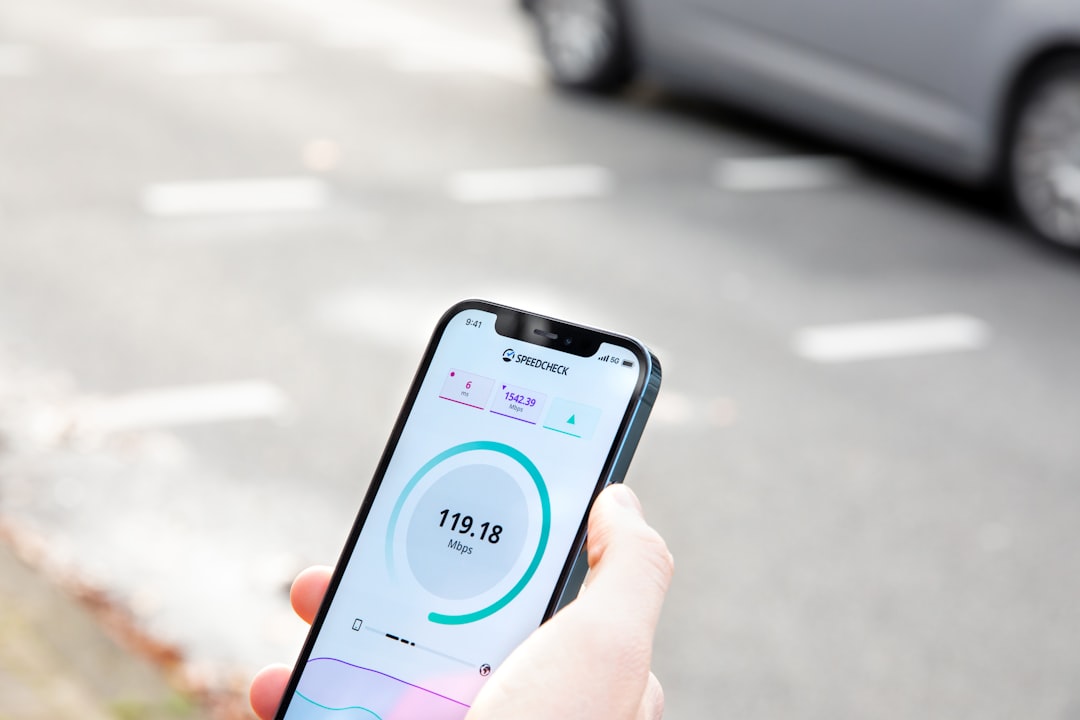
An eSIM does not automatically make your internet faster. Speed depends on your phone, your plan, your location, and the Telcel network coverage.
The eSIM is mainly about convenience. No plastic card. No shipping. No SIM tray. No losing a tiny chip on the floor and crawling around like a detective.
In daily use, an eSIM and a physical SIM should feel very similar. Calls are calls. Data is data. Memes are memes.
Main Benefits of Telcel eSIM
There are many reasons new customers may like eSIM. It is not just modern. It is also practical.
- No physical SIM card: Nothing to insert or remove.
- Quick activation: Setup can be fast when you have the QR code.
- Good for dual SIM use: Many phones can use eSIM plus a physical SIM.
- Harder to lose: You cannot drop it under the sofa.
- Great for travel: You can manage multiple plans on some phones.
Can You Use Telcel eSIM and Another SIM?
In many modern phones, yes. This is called dual SIM. You may be able to use one physical SIM and one eSIM. Some newer phones can manage more than one eSIM, but only certain lines may be active at the same time.
This is useful if you want one number for work and one for personal life. It is also handy if you travel. You can keep one line active for calls and another for data.
Just remember to choose the correct default line for calls, messages, and data. Otherwise, your phone may use the wrong plan. That can lead to surprise charges. Surprise cake is good. Surprise charges are not.
Common Setup Problems
Even easy things can have hiccups. Here are common Telcel eSIM setup problems and simple fixes.
The QR Code Does Not Scan
Make sure the code is clear and not damaged. Clean your camera lens. Increase screen brightness if the QR code is on another device. If it still fails, ask Telcel for help or manual activation details.
The Phone Says eSIM Is Not Supported
Your device may not support eSIM. Or the feature may not be available for your exact model. Check the device settings and official phone specs.
The eSIM Downloads But Has No Signal
Restart your phone. Make sure the Telcel line is turned on. Check that airplane mode is off. Also confirm you are in an area with Telcel coverage.
Mobile Data Does Not Work
Check that mobile data is enabled for the Telcel line. Make sure the correct line is selected for data. If needed, contact Telcel to confirm your plan is active.
The Phone Is Locked
If your phone is locked to another carrier, you may need to unlock it first. Contact the original carrier. Telcel cannot always fix a lock placed by another company.
Is It Better Than a Physical SIM?
For many people, yes. Telcel eSIM can be easier because there is no physical card to handle. It is neat. It is modern. It feels a bit futuristic.
But physical SIM cards still have one advantage. You can move them quickly from one phone to another. With eSIM, moving your plan may require extra steps. You may need a new QR code or help from Telcel.
So which is better?
- Pick eSIM if you want simple digital setup and less plastic.
- Pick physical SIM if you change phones often.
- Pick dual SIM if you like options.
Tips for a Smooth Telcel eSIM Setup
Want the easiest setup possible? Follow these tips.
- Check phone compatibility before buying the plan.
- Make sure your phone is unlocked.
- Use strong Wi-Fi during activation.
- Keep the QR code safe until setup is done.
- Do not delete the eSIM unless you know what you are doing.
- Restart the phone after activation.
- Test calls, texts, and mobile data right away.
Also, take your time. Read each screen. Do not tap wildly like you are playing a speed game. Your phone settings deserve calm fingers.
So, Is Telcel eSIM Easy to Set Up?
Yes, Telcel eSIM is generally easy to set up for new customers. The process is simple when your phone is compatible, unlocked, and connected to Wi-Fi. The QR code does most of the heavy lifting.
The main challenge is preparation. You need the right device. You need the right activation details. You need an active Telcel plan. Once those pieces are ready, setup is usually quick.
For beginners, visiting a Telcel store can make things even easier. Staff can help check your phone and guide the activation. That removes a lot of guesswork.
In the end, Telcel eSIM is like a digital door key. Once it is added to your phone, you can step into the Telcel network without touching a tiny plastic card. It is clean, clever, and pretty friendly for new customers.
So if your phone supports it, eSIM is worth trying. Just bring your Wi-Fi, your QR code, and a little patience. The future of SIM cards is already here. And thankfully, it does not require tweezers.