Starting a YouTube channel in 2026 is still one of the best ways to share ideas, build a brand, and maybe earn money online. The fun part is this: you do not need a giant studio. You do not need a film degree. You need a clear topic, simple gear, smart planning, and the courage to press record.
TLDR: Pick a simple niche, use the gear you already have, and make videos that solve real problems or entertain people. Learn basic YouTube SEO so viewers can find your videos. Post often, study your analytics, and build income with ads, affiliates, products, and sponsorships. Start messy, improve fast, and keep going.
1. Choose a Channel Idea That You Can Stick With
Before you buy a camera, choose your channel idea. This is your niche. A niche is the main topic your channel will cover.
Do not make it too broad. “Gaming” is huge. “Cozy farming games for beginners” is clearer. “Fitness” is huge. “Home workouts for busy parents” is easier to remember.
Great beginner niches in 2026 include:
- Tutorials: Teach a skill step by step.
- Reviews: Share honest thoughts about products.
- Entertainment: Make people laugh, relax, or feel inspired.
- Education: Explain hard topics in simple ways.
- Vlogs: Share a focused lifestyle or journey.
- AI and tech: Show tools, apps, and workflows.
Ask yourself three quick questions:
- Can I talk about this for a year?
- Do people search for this topic?
- Can I offer something useful or fun?
If the answer is yes, you have a strong start.
2. Know Your Audience
Your channel is not for everyone. That is good. If you try to please everyone, your videos become mushy soup. Nobody wants mushy soup.
Picture one viewer. Give them a name if that helps. What do they want? What do they fear? What makes them click? What makes them leave?
For example, your viewer might be:
- A beginner who feels confused.
- A busy person who wants fast tips.
- A hobby fan who wants honest reviews.
- A student who needs simple explanations.
When you know your viewer, video ideas become easier. Your titles improve. Your thumbnails improve. Your confidence improves too.

3. Basic Equipment for Beginners
Good news. You can start with a phone. Modern phones shoot clear video. Many shoot in 4K. That is more than enough for beginners.
Here is a simple starter setup:
- Camera: Use your smartphone first.
- Microphone: Buy a small lavalier mic or USB mic.
- Lighting: Use a window or a cheap LED light.
- Tripod: Keep your shot steady.
- Editing app: Use simple software you can learn fast.
Audio matters more than video. People will forgive average video. They will not forgive terrible sound. If your voice is hard to hear, they will leave.
Start cheap. Upgrade later. Your first goal is not to look like a movie studio. Your first goal is to create.
4. Equipment Tiers for 2026
Here is a simple equipment path. Pick the level that fits your budget.
Budget Level
- Smartphone camera
- Window light
- Wired lav mic
- Free editing app
- Basic tripod
This is perfect for beginners. It is also perfect for testing your idea.
Growing Level
- Mirrorless camera or high-end phone
- Wireless microphone
- Softbox or LED panel
- Paid editing software
- Better background setup
This level is great once you know your channel has potential.
Serious Creator Level
- Interchangeable lens camera
- Multiple lights
- Shotgun mic plus backup audio
- Advanced editing tools
- Dedicated recording space
Do not rush to this level. Gear does not fix boring content. Sorry, shiny camera. It is true.
5. Plan Videos Before You Record
A simple plan saves time. It also makes your videos tighter. Viewers love tight videos. They do not love rambling.
Use this easy structure:
- Hook: Tell viewers why they should keep watching.
- Promise: Explain what they will learn or feel.
- Main points: Share 3 to 5 clear ideas.
- Examples: Show proof, demos, or stories.
- Call to action: Ask them to like, comment, subscribe, or watch another video.
Your hook is very important. The first 10 seconds can decide everything. Start fast. Skip the long intro. Nobody needs a 45-second logo dance in 2026.
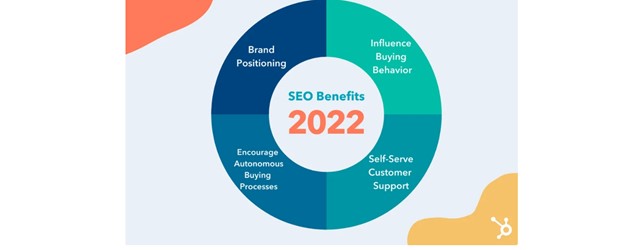
6. Learn YouTube SEO
YouTube SEO means helping YouTube understand your video. It also helps people find it. Think of SEO as giving your video a map, a name tag, and a bright little hat.
Focus on these parts:
- Title: Use clear keywords.
- Description: Explain what the video covers.
- Thumbnail: Make it simple and clickable.
- Chapters: Break the video into sections.
- Tags: Add related terms, but do not obsess.
- Captions: Help viewers and search engines understand your content.
Use words your audience would actually type. Not fancy words. Real words. If your video teaches meal prep, a good title could be Easy Meal Prep for Beginners in 20 Minutes. Simple wins.
7. Make Better Titles
Your title should be clear first. Clever second. A confused viewer will not click.
Try these title formulas:
- How to: How to Start a Budget Podcast in 2026
- Beginner guide: Beginner Guide to Home Coffee Brewing
- Mistakes: 7 Mistakes New Guitar Players Make
- Comparison: iPhone vs Camera for YouTube Beginners
- Challenge: I Tried Waking Up at 5 AM for 30 Days
A good title creates curiosity. It also tells the truth. Do not trick people. Clickbait can get a click. Trust gets a fan.
8. Create Thumbnails That Pop
Your thumbnail is your tiny billboard. It must work on a phone screen. That means it should be clean, bright, and easy to read.
Follow these thumbnail tips:
- Use one clear main image.
- Show a face when it makes sense.
- Use 2 to 5 words at most.
- Make contrast strong.
- Keep a consistent style.
Do not stuff your thumbnail with tiny text. People are scrolling fast. If they need a magnifying glass, you lost them.
9. Post on a Simple Schedule
Consistency matters. But do not promise daily videos if you have a job, school, kids, pets, laundry, and a mysterious pile of cables.
Start with one video per week. If that feels easy, add more. If it feels hard, make shorter videos.
A good beginner schedule could be:
- Monday: Research ideas.
- Tuesday: Write a simple outline.
- Wednesday: Record.
- Thursday: Edit.
- Friday: Upload and optimize.
- Weekend: Reply to comments and plan next video.
Batching helps too. Record two or three videos in one session. Your future self will clap for you.
10. Use Shorts Without Forgetting Long Videos
YouTube Shorts are still powerful in 2026. They can bring quick attention. They are great for tips, jokes, moments, and mini tutorials.
But long videos build deeper trust. They also create more watch time. Use both if you can.
Try this plan:
- Make one long video each week.
- Cut 2 or 3 Shorts from that video.
- Use Shorts to point people to your full video.
This gives you more content without starting from zero every time.
11. Understand YouTube Analytics
Analytics are not scary. They are clues. YouTube is telling you what viewers like and what they skip.
Watch these numbers:
- Click through rate: Are people clicking your title and thumbnail?
- Average view duration: Are people staying?
- Audience retention: Where do viewers leave?
- Traffic sources: How are people finding you?
- Returning viewers: Are people coming back?
If people click but leave fast, improve your intro. If people do not click, improve your title and thumbnail. If one topic performs well, make more videos around it.
12. Monetization Strategies for Beginners
Money is exciting. But do not make it your only goal at first. Build trust first. Money follows trust.
Here are common ways to earn:
- YouTube Partner Program: Earn from ads when eligible.
- Affiliate marketing: Share product links and earn a commission.
- Sponsorships: Brands pay you to mention products.
- Digital products: Sell templates, guides, courses, or presets.
- Memberships: Offer bonus content to loyal fans.
- Merch: Sell shirts, mugs, stickers, or niche items.
- Services: Use your channel to get clients.
Affiliate marketing is often the easiest first step. For example, if you review microphones, you can link to the mic you use. Always be honest. Always disclose affiliate links.

13. Build a Brand People Remember
Your brand is not just your logo. It is the feeling people get from your channel.
Think about:
- Your tone. Are you funny, calm, bold, or nerdy?
- Your colors. Do they match your topic?
- Your intro style. Is it fast and friendly?
- Your promise. What do viewers get every time?
Repeat your message often. Say who your channel is for. Make your videos feel familiar. Familiar feels safe. Safe makes viewers subscribe.
14. Avoid Common Beginner Mistakes
Every creator makes mistakes. That is normal. Try to avoid these big ones:
- Waiting for perfect gear.
- Copying big creators too closely.
- Ignoring audio quality.
- Making titles that are too vague.
- Quitting after five videos.
- Not asking viewers to comment.
- Never checking analytics.
The biggest mistake is quitting too early. Most channels need time. Your first videos are practice. Your next videos are progress.
15. Your First 30 Days Plan
Want a simple launch plan? Use this.
- Day 1: Pick your niche and audience.
- Day 2: List 30 video ideas.
- Day 3: Create your channel name and basic branding.
- Day 4: Set up your filming space.
- Day 5: Write your first outline.
- Day 6: Record your first video.
- Day 7: Edit and upload.
- Weeks 2 to 4: Post weekly, test Shorts, and study results.
Keep it light. Keep it moving. Do not spend three weeks choosing a font. Make the video.
Final Thoughts
Starting a YouTube channel in 2026 is simple, but not always easy. You need patience. You need practice. You need to learn from every upload.
Begin with the gear you have. Make useful or fun videos. Use SEO so people can find you. Improve your titles, thumbnails, and hooks. Try smart monetization when your audience starts to grow.
Most of all, enjoy the process. Your first video may feel awkward. That is fine. Everyone starts somewhere. Press record, publish, learn, and repeat. Your future audience is waiting.