Flyers remain one of the fastest ways to promote an event, launch, sale, service, or local campaign—but the best flyers are no longer made by dragging random text boxes around a blank canvas. Today’s AI flyer generators can suggest layouts, write persuasive copy, match colors to your brand, resize designs for print and social media, and even generate custom visuals in seconds. For businesses, creators, nonprofits, and event organizers, that means better-looking flyers created in less time, with a stronger chance of turning viewers into customers, attendees, or leads.
TLDR: The best AI flyer generators combine easy design tools, conversion-focused templates, and smart content assistance. Canva, Adobe Express, Visme, VistaCreate, Piktochart, Fotor, and Venngage are among the top options for creating professional flyers quickly. Choose based on your goal: Canva and Adobe Express are great all-rounders, Visme and Venngage suit business marketing, while Fotor and VistaCreate are strong for fast visual campaigns.
What Makes an AI Flyer Generator “High-Converting”?
A flyer does more than look attractive. A high-converting flyer must make people notice, understand, and act. That means the design should guide the eye toward a clear message and a strong call to action. AI tools help by removing guesswork from layout, copywriting, image selection, and formatting.
The best AI flyer generators typically include:
- AI design suggestions that recommend layouts, colors, and font pairings.
- Ready-made templates for events, sales, restaurants, real estate, services, fitness, education, and more.
- AI copywriting tools for headlines, slogans, offers, and calls to action.
- Brand kits to keep logos, fonts, and colors consistent.
- Print-ready export options such as PDF, PNG, and high-resolution files.
- Resize tools for turning a flyer into an Instagram post, Facebook story, email graphic, or poster.
In short, the right tool should help you create a flyer that is not only visually appealing but also strategically designed to get results.
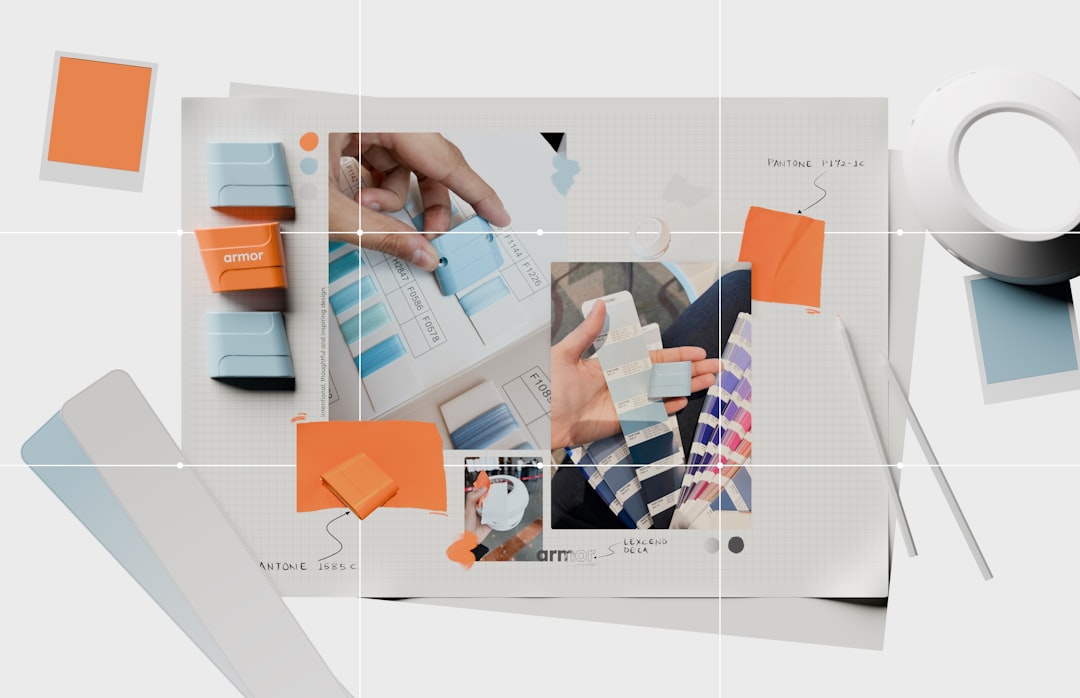
1. Canva: Best Overall AI Flyer Generator
Canva is one of the most popular design platforms for good reason. It combines a massive template library with easy drag-and-drop editing, making it a strong choice for beginners and experienced marketers alike. Its AI-powered features can help generate text, suggest layouts, create images, remove backgrounds, and resize flyers for different channels.
For high-converting flyers, Canva is especially useful because it has templates designed around specific goals: grand openings, limited-time offers, charity events, workshops, restaurant promotions, school events, and more. You can quickly customize a template, add your logo, adjust colors, and export a print-ready file.
Best for: Small businesses, creators, event organizers, educators, and anyone who wants a flexible all-in-one flyer maker.
Why it stands out: Canva’s biggest strength is speed. You can go from idea to finished flyer in minutes, while still producing something that looks polished and professional.
2. Adobe Express: Best for Professional Visual Quality
Adobe Express is ideal for users who want polished designs without the complexity of professional tools like Photoshop or Illustrator. It includes AI-powered features for generating images, removing backgrounds, creating text effects, and producing branded content quickly.
Adobe Express works particularly well for flyers that need strong visual impact. If you are promoting a concert, product launch, fashion pop-up, creative workshop, food festival, or seasonal sale, the platform’s sleek templates and image tools can help your flyer feel more premium.
Best for: Brands, creative professionals, agencies, photographers, and businesses that care about high-end visuals.
Why it stands out: Adobe Express offers a balance between simplicity and professional design quality. It is also helpful if you already use Adobe products or want access to Adobe’s creative ecosystem.
3. Visme: Best for Business and Corporate Flyers
Visme is a strong option for businesses that need more than a pretty flyer. It is built for branded communication, presentations, infographics, proposals, and marketing materials. Its AI and automation features help users generate layouts, organize information, and create visually structured content.
Visme is especially effective for corporate events, training programs, webinars, product announcements, consulting services, conferences, and B2B campaigns. It makes it easy to combine text, icons, charts, images, and brand elements into a clean, persuasive flyer.
Best for: Corporate teams, consultants, marketers, educators, and B2B companies.
Why it stands out: Visme helps turn information-heavy flyers into designs that are readable and persuasive. If your flyer needs to explain value clearly, Visme is a smart choice.
4. VistaCreate: Best for Fast Promotional Flyers
VistaCreate is a user-friendly design tool with a large collection of templates for promotions, events, social campaigns, and seasonal marketing. Its AI-assisted features and simple editor make it easy to create eye-catching flyers without spending much time on design decisions.
This platform works well for local businesses and social media-focused campaigns. Restaurants, salons, gyms, boutiques, and event promoters can quickly create flyers for discounts, openings, classes, parties, and limited-time offers.
Best for: Local businesses, social media marketers, service providers, and entrepreneurs who need quick promotional designs.
Why it stands out: VistaCreate is built for speed and simplicity. If you need a bold flyer today, it offers plenty of ready-to-edit designs that can be customized quickly.

5. Piktochart: Best for Informational and Event Flyers
Piktochart is known for visual communication, especially infographics and presentation-style content. For flyers, it shines when you need to present information in a clear and organized way. Its AI features can help generate content and structure designs around the information you provide.
If you are creating a flyer for a public event, educational session, health campaign, church program, nonprofit fundraiser, or community announcement, Piktochart can help you avoid clutter. It is excellent for turning dates, benefits, schedules, locations, and instructions into a flyer that is easy to scan.
Best for: Nonprofits, schools, public organizations, community groups, and event planners.
Why it stands out: Piktochart is great when clarity matters most. It helps make flyers informative without feeling overwhelming.
6. Fotor: Best for AI Image-Driven Flyers
Fotor is a practical choice for users who want strong image editing and AI-generated visuals. It includes tools for AI image creation, photo enhancement, background removal, and quick design editing. This makes it especially useful when your flyer depends on a striking image or visual theme.
For example, if you are promoting a music night, beauty service, product sale, travel offer, food menu, or creative event, Fotor can help produce vivid visuals that grab attention. You can edit photos, create custom backgrounds, and add text overlays to build a flyer with personality.
Best for: Creators, ecommerce sellers, beauty businesses, restaurants, musicians, and event promoters.
Why it stands out: Fotor is particularly useful for flyers that need original imagery or enhanced photography. It gives you visual flexibility without requiring advanced editing skills.
7. Venngage: Best for Marketing Teams and Campaign Consistency
Venngage is another excellent platform for businesses and organizations that create frequent marketing materials. It is especially good for maintaining visual consistency across flyers, reports, posters, infographics, and internal communications.
Its templates are clean, structured, and conversion-friendly. Marketing teams can use Venngage to build flyers for product promotions, conferences, employee events, recruitment campaigns, and lead-generation offers. The editor is straightforward, and the platform’s business-focused style makes it easy to produce professional materials without endless tweaking.
Best for: Marketing teams, HR teams, nonprofits, agencies, and professional service businesses.
Why it stands out: Venngage is great for repeatable, brand-consistent flyer creation. It is less about flashy effects and more about clear, credible communication.
How to Choose the Right AI Flyer Generator
The best tool depends on your goal. Before choosing, ask yourself what your flyer needs to accomplish. A nightclub flyer, a real estate open house flyer, and a healthcare awareness flyer all require different design approaches.
- Choose Canva if you want the most versatile option with a huge template library.
- Choose Adobe Express if you want professional-looking visuals and strong creative effects.
- Choose Visme if your flyer needs to communicate business information clearly.
- Choose VistaCreate if you need quick promotional flyers for local or social campaigns.
- Choose Piktochart if your flyer is educational, informational, or event-based.
- Choose Fotor if images, photo editing, or AI-generated visuals are your priority.
- Choose Venngage if your team needs consistent, professional marketing materials.
Tips for Creating Flyers That Convert
Even the best AI tool cannot guarantee results if the flyer lacks strategy. To increase conversions, focus on the psychology of attention and action.
- Start with one clear goal. Do you want people to register, visit, call, scan a QR code, or buy now? Make that action obvious.
- Use a strong headline. Your headline should communicate the main benefit quickly, such as “Save 40% This Weekend” or “Join a Free Beginner Yoga Class.”
- Keep the design simple. Too many fonts, colors, images, and messages reduce impact. A clean flyer is usually more persuasive.
- Highlight the offer. If there is a discount, free trial, bonus, limited seat count, or deadline, make it prominent.
- Add trust signals. Ratings, testimonials, logos, guarantees, or years of experience can improve credibility.
- Use contrast wisely. The call to action should stand out from the rest of the design.
- Make contact details easy to find. Include a phone number, website, address, QR code, or social handle where appropriate.
Common Flyer Design Mistakes to Avoid
AI can speed up the design process, but it is still important to review the final result carefully. One common mistake is relying too heavily on a beautiful template while forgetting the message. A flyer should not just look good; it should tell people why they should care.
Another mistake is overcrowding the layout. If every detail is bold, nothing stands out. Use visual hierarchy: headline first, key benefit second, supporting details third, and call to action last. Also, avoid low-resolution images, weak contrast, tiny text, and vague phrases like “Contact us for more information” when a stronger CTA such as “Book Your Free Consultation Today” would work better.
Final Thoughts
AI flyer generators have made professional flyer design more accessible than ever. Whether you are promoting a small local event or building a full marketing campaign, the right platform can help you produce attractive, persuasive, and print-ready flyers in a fraction of the time it once took.
Canva is the best all-around choice for most users, while Adobe Express is ideal for professional visuals. Visme and Venngage are excellent for business communication, VistaCreate is perfect for fast promotions, Piktochart is strong for informational flyers, and Fotor excels at image-driven designs. The key is to pair AI-powered convenience with smart marketing fundamentals: a clear message, compelling offer, strong visuals, and an unmistakable call to action.
In the end, the highest-converting flyer is not simply the one with the most impressive design. It is the one that makes the right audience stop, understand the value, and take the next step.