As ecommerce ecosystems continue to evolve, merchants are looking for more streamlined and interoperable ways to share product data across platforms. One emerging solution is UCP (Universal Commerce Protocol), which aims to standardize how product, pricing, and inventory data are transmitted between systems. When connected with Google Merchant Center, UCP can significantly improve automation, data accuracy, and cross-channel selling efficiency.
TLDR: Enabling UCP (Universal Commerce Protocol) in Google Merchant Center allows merchants to standardize and automate product data sharing across systems. To enable it, businesses must verify eligibility, configure API access, map product attributes correctly, and test the integration. Proper setup improves accuracy, reduces manual updates, and enhances performance in Google Shopping and related services. Ongoing monitoring ensures long-term stability and compliance.
What Is UCP (Universal Commerce Protocol)?
Universal Commerce Protocol (UCP) is designed to create a unified framework for transmitting commerce-related data such as:
- Product titles and descriptions
- Pricing and sale pricing
- Inventory levels
- Shipping configurations
- Tax details
- Order status updates
Rather than relying solely on manual feeds or fragmented integrations, UCP introduces a consistent communication standard. When integrated correctly with Google Merchant Center (GMC), it ensures that product information is synchronized in near real-time across Google Shopping, Performance Max campaigns, and other commerce-driven touchpoints.

Prerequisites Before Enabling UCP
Before enabling UCP in Google Merchant Center, several foundational requirements must be met. Skipping these steps may cause data disapprovals or synchronization errors.
1. Verified Google Merchant Center Account
The merchant must:
- Have an active Google Merchant Center account
- Verify and claim their website URL
- Configure shipping and tax settings
2. API Access Enabled
UCP typically works through API-based communication. The merchant needs:
- A Google Cloud project
- Content API for Shopping enabled
- OAuth 2.0 credentials
3. Structured Product Data
Product information inside the ecommerce platform must be clean, standardized, and complete. Required attributes such as id, title, description, link, image_link, price, availability, and brand must be properly formatted.
Step-by-Step Guide to Enabling UCP in Google Merchant Center
Step 1: Access Advanced Account Settings
Inside Google Merchant Center:
- Log into the account dashboard.
- Click on the Settings & Tools icon.
- Select Account Settings.
- Navigate to API and Advanced Integrations.
If UCP access is available for the account, it will appear as an integration option under supported protocols or beta programs.
Step 2: Enable Content API for Shopping
Since UCP operates via structured API communication:
- Go to Google Cloud Console.
- Select or create a project.
- Enable Content API for Shopping.
- Generate API credentials.
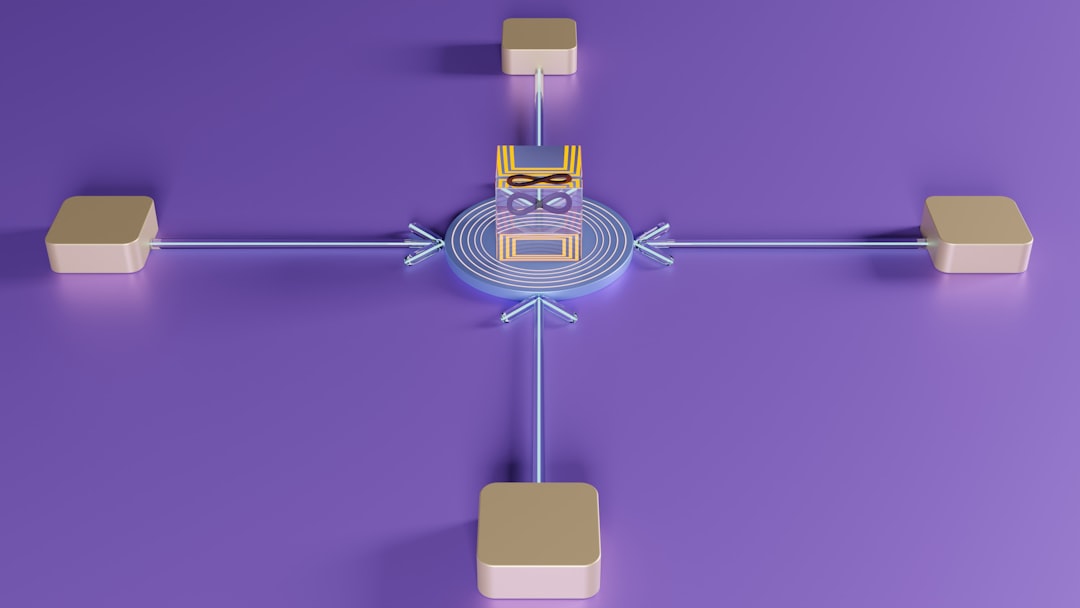
This API connection forms the backbone for UCP data exchanges.
Step 3: Configure UCP Data Mapping
Data mapping ensures that your platform’s internal fields align with Google Merchant Center requirements. This involves:
- Matching SKU to product id
- Mapping pricing rules correctly
- Ensuring availability reflects real-time stock
- Aligning categories with Google’s taxonomy
Inaccurate mapping can lead to product disapprovals, so extra care must be taken here.
Step 4: Establish Authentication
Using OAuth 2.0 credentials:
- Authorize the application
- Grant necessary read/write permissions
- Securely store API tokens
Once authenticated, the system can push updates automatically to Merchant Center.
Step 5: Run Sandbox Testing
Before deploying UCP to live product feeds:
- Test in a staging environment
- Validate product creation and updates
- Monitor error responses
- Review Merchant Center diagnostics
This phase ensures accurate communication and prevents live feed disruptions.
Step 6: Go Live
After successful testing:
- Activate full synchronization
- Monitor first 24–72 hours closely
- Review policy compliance notifications
Key Benefits of Enabling UCP
1. Real-Time Inventory Updates
Stock levels are transmitted dynamically, reducing overselling risks.
2. Reduced Manual Feed Management
Instead of uploading spreadsheets or static feeds repeatedly, UCP automates updates.
3. Improved Data Accuracy
Standardized formatting decreases mismatches between website and Merchant Center data.
4. Faster Product Approvals
Clean, consistently structured data often results in fewer disapprovals.
5. Scalability Across Channels
UCP supports multi-platform expansion, allowing businesses to integrate with additional marketplaces more efficiently.
Common Challenges and How to Avoid Them
Attribute Mismatches
Ensure required attributes strictly follow Google’s formatting guidelines. For example:
- Price must include currency (e.g., 29.99 USD)
- Availability must use approved values (in stock, out of stock, preorder)
Authentication Errors
Expired OAuth tokens often cause synchronization failures. Implement automatic token refresh mechanisms.
Data Latency
Set appropriate API call intervals to prevent throttling or rate limit issues.
Policy Violations
Even with UCP enabled, compliance with Google Shopping policies remains mandatory. Monitor:
- Image quality standards
- Prohibited content rules
- Misleading pricing discrepancies
Best Practices for Ongoing Optimization
- Audit Feed Health Weekly: Check diagnostics for emerging issues.
- Leverage Structured Data Markup: Reinforce consistency between website schema and Merchant Center.
- Implement Alert Systems: Automated alerts help detect sync failures quickly.
- Document Changes: Keep logs of mapping updates or API configuration modifications.
- Monitor Performance Metrics: Track CTR, conversion rates, and impression shifts after enabling UCP.
Security Considerations
Because UCP relies on API communication, security should be prioritized:
- Use secure server-to-server connections (HTTPS).
- Restrict API credentials to necessary scopes only.
- Regularly rotate authentication keys.
- Monitor unusual API activity patterns.
Protecting commerce data not only safeguards inventory and pricing but also ensures account stability within Google’s ecosystem.
When Should a Business Enable UCP?
UCP is particularly beneficial for:
- Large ecommerce stores with thousands of SKUs
- Merchants operating in multiple countries
- Businesses needing high-frequency inventory updates
- Companies integrating multiple sales channels simultaneously
Smaller stores with static inventory may function adequately using traditional feed uploads, but as operations scale, UCP becomes increasingly advantageous.
Conclusion
Enabling UCP (Universal Commerce Protocol) in Google Merchant Center represents a forward-thinking step toward automated, scalable commerce operations. By properly configuring API access, mapping structured product data accurately, and implementing thorough testing procedures, merchants can dramatically improve feed reliability and product performance.
While the technical setup requires careful attention, the long-term gains in efficiency, synchronization accuracy, and scalability make UCP a valuable addition to modern ecommerce infrastructure. Businesses that prioritize clean data, ongoing monitoring, and security best practices will experience the greatest benefits from this integration.
Frequently Asked Questions (FAQ)
1. Is UCP automatically available in all Google Merchant Center accounts?
No. Availability may depend on account eligibility, beta program access, and regional rollout. Merchants should check within advanced integration settings or contact Google support.
2. Does enabling UCP replace traditional product feeds?
In many cases, yes. UCP typically uses API-driven structured updates instead of manual file uploads. However, some merchants may use both during transition periods.
3. Is technical expertise required to enable UCP?
Yes. API configuration, OAuth authentication, and attribute mapping often require developer involvement or assistance from integration specialists.
4. Can UCP improve product approval rates?
Indirectly, yes. Standardized, real-time data typically reduces inconsistencies that lead to disapprovals.
5. How long does it take to implement UCP?
Implementation time varies depending on store complexity, but most integrations take anywhere from a few days to several weeks.
6. Is UCP secure?
When implemented with proper API authentication, secure connections, and credential management, UCP offers a secure data exchange framework.