


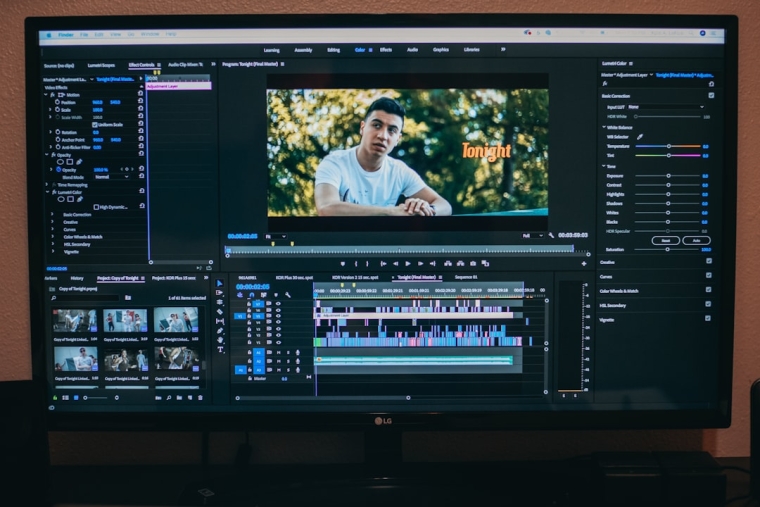
In an era dominated by high-resolution video, streaming platforms, and instant sharing, media files have grown dramatically in size. While 4K and even 8K videos deliver exceptional clarity, they also require significant storage space and bandwidth. For businesses, content creators, educators, and everyday users, managing these large files has become a strategic concern. Video compression software provides a critical solution, enabling efficient storage, faster transfer, and seamless playback without sacrificing essential quality.
TLDR: Video compression software reduces file sizes while maintaining acceptable visual and audio quality, making storage and distribution more efficient. It works by removing redundant data and optimizing encoding settings. Choosing the right tool depends on your needs, including output quality, format compatibility, and workflow integration. Properly configured, compression can dramatically cut costs and improve performance across platforms.
Understanding how video compression works begins with recognizing that digital video contains enormous amounts of data. Each frame in a video is essentially an image, and a typical video may include 24, 30, or 60 frames per second. Compression software analyzes these frames and removes redundant, unnecessary, or imperceptible information to reduce overall file size.
There are two main categories of compression: lossy and lossless.
- Lossy compression permanently removes some data, prioritizing smaller file sizes over perfect fidelity.
- Lossless compression reduces file size without permanently discarding data, allowing full restoration of the original video.
Most online streaming platforms and distribution systems use lossy compression because it dramatically lowers bandwidth requirements while maintaining high perceived quality. The key is achieving the right balance between size and clarity.


Why Video Compression Is Essential
Modern organizations rely heavily on video for communication, marketing, training, and entertainment. Without compression, managing this content becomes inefficient and costly. The benefits of video compression software extend beyond simple storage savings:
- Reduced storage costs: Smaller files require less disk space, lowering hardware and cloud expenses.
- Faster uploads and downloads: Compressed videos transfer more quickly across networks.
- Improved streaming performance: Viewers experience less buffering and smoother playback.
- Enhanced compatibility: Properly encoded files work across more devices and platforms.
For enterprises distributing training materials globally, compression ensures employees can access content even with limited bandwidth. Similarly, content creators benefit from uploading large projects faster, allowing quicker publication cycles.
Core Technologies Behind Video Compression
Professional video compression software relies on advanced codecs and encoding processes. A codec (compressor-decompressor) is responsible for encoding video into a compressed format and decoding it for playback.
Common industry codecs include:
- H.264 (AVC): Widely supported and efficient for general-purpose compression.
- H.265 (HEVC): Offers improved compression rates compared to H.264, particularly for 4K content.
- AV1: An open-source codec designed for high efficiency and web streaming.
- VP9: Often used for online video platforms.
Compression tools allow users to control factors such as bitrate, resolution, frame rate, and audio quality. Bitrate, in particular, plays a vital role: reducing bitrate lowers file size but may impact visual clarity.
Advanced software also supports two-pass encoding, which analyzes footage during an initial pass before applying optimized compression during the final rendering phase. This method improves overall efficiency and output consistency.
Image not found in postmeta

Key Features to Look for in Video Compression Software
Selecting reliable compression software requires evaluating features that align with your workflow. A serious evaluation should consider:
- Format support: Compatibility with MP4, MOV, AVI, MKV, and other common container formats.
- Codec flexibility: Support for modern codecs like H.265 or AV1.
- Batch processing: Ability to process multiple files simultaneously.
- Customizable bitrate control: Precise adjustments for optimal quality-to-size ratios.
- Hardware acceleration: Utilization of GPU resources for faster encoding.
- Preview functionality: Real-time quality comparison before final export.
For organizations handling large media libraries, automation capabilities and preset profiles can significantly streamline repetitive tasks. Presets tailored for platforms such as social media, broadcast, or mobile devices simplify output configuration while maintaining compliance with technical requirements.
Best Practices for Optimizing Media Files
Effective compression is not simply about choosing the lowest file size. It requires a strategic approach that preserves quality appropriate for the intended use.
Consider the following best practices:
- Start with the highest quality source: Compression works best when the original file is pristine.
- Select the correct resolution: Avoid delivering 4K if your audience primarily uses 1080p displays.
- Adjust bitrate gradually: Test multiple settings to find acceptable minimum thresholds.
- Use adaptive bitrate streaming for web delivery: This ensures dynamic quality adjustment based on user bandwidth.
- Evaluate audio settings: Audio compression can also significantly reduce overall size.
It is also advisable to maintain archival masters. While distribution copies can be heavily compressed, original high-quality masters should remain intact for future re-editing or repurposing.
Balancing Quality and Efficiency
The primary challenge in video compression lies in balancing efficiency with viewer experience. Over-compression leads to visible artifacts such as:
- Blockiness or pixelation
- Color banding
- Loss of fine details
- Audio distortion
Professional software often includes adjustable quality sliders and advanced encoding parameters that allow technicians to fine-tune outputs. In mission-critical applications such as medical imaging, engineering simulations, or broadcast television, maintaining detail may outweigh file size reduction. Conversely, social media clips can tolerate more aggressive compression without undermining user engagement.
Image not found in postmeta
Security and Compliance Considerations
Organizations operating in regulated industries must also consider compliance and data security. Video files may contain sensitive information, including internal training materials, personal data, or proprietary demonstrations.
Reliable compression solutions should offer:
- Secure processing environments
- Encryption support
- Metadata management
- Audit logging capabilities
Cloud-based platforms should comply with relevant security standards and provide explicit data handling policies. Maintaining control over compressed output files helps organizations mitigate legal and operational risks.
Future Trends in Video Compression
As video resolutions continue to rise and immersive technologies such as virtual reality gain adoption, compression methods will become even more sophisticated. Emerging innovations include AI-driven encoding, which analyzes scene content to dynamically allocate bitrate based on motion and complexity.
Machine learning algorithms can identify less noticeable areas of a frame and apply stronger compression there, while preserving detail in focal points. This targeted approach improves efficiency without degrading perceived quality.
Additionally, the expansion of 5G networks and cloud streaming services is driving the demand for codecs that achieve higher compression ratios at lower latency. Software developers are continuously refining encoding pipelines to meet these expectations.
Conclusion
Video compression software plays a fundamental role in modern digital communication. By intelligently reducing file sizes, it ensures that media content remains accessible, transferable, and cost-effective. Whether for corporate deployment, creative production, or educational outreach, effective compression improves operational efficiency without sacrificing audience experience.
Choosing the right solution requires careful consideration of codec support, hardware acceleration, customization capabilities, and security standards. With proper implementation and adherence to best practices, organizations and individuals can confidently manage growing media demands while maintaining professional quality.
In a media landscape where performance and efficiency are paramount, video compression is not merely an optional enhancement—it is an essential component of digital strategy.