



Designers thrive on creativity, but smooth collaboration and constructive feedback are what bring visions to life. In today’s digital landscape, having the right design collaboration tools can dramatically improve productivity, reduce rework, and help cross-functional teams stay aligned. Whether you’re working remotely or sitting together in a studio, using the right design app can turn vague suggestions into actionable feedback and facilitate seamless design delivery.
TL;DR: Today’s designers depend heavily on digital tools to collaborate efficiently and receive feedback in real-time. Platforms like Figma, Adobe XD, and Miro allow multiple team members to work simultaneously, add comments, and iterate faster. This article explores the top 5 design collaboration apps that top-performing design teams are using. Discover why these tools are favorites, and which ones might be right for your next project.
1. Figma – Real-Time Collaboration at Its Finest
Figma has revolutionized how design teams collaborate by enabling multiple users to work on the same design file at once—without any installations. As a browser-based design tool, Figma allows instant teamwork, easy file-sharing, and seamless handoffs to developers.
- Platform: Browser-based (with desktop app)
- Best Features: Real-time editing, prototyping, extensive plugin support
- Ideal for: UI/UX designers, product teams, and developers
One of Figma’s standout features is its intuitive interface paired with strong commenting tools. Reviewers can click on any part of a screen and leave notes that designers can address immediately. Developers love its inspect tool, which allows them to copy code snippets without bothering the designer.
Image not found in postmeta
Why teams love it: There’s no more asking, “which file is the latest?” as everyone works in the same cloud-based file in real time. It’s perfect for managing large projects across distributed teams.
2. Adobe XD – Built for UX with Strong Prototyping
Adobe XD carries Adobe’s legacy of creative tools but tunes it specifically for UX/UI design. It simplifies wireframing, designing, prototyping, and sharing all in a smooth and unified platform. Its integration with other Adobe Creative Cloud tools like Photoshop and Illustrator makes it a powerhouse for design teams already entrenched in the Adobe ecosystem.
- Platform: Desktop with cloud sync (macOS, Windows)
- Best Features: Voice prototyping, auto-animate, cloud docs for collaboration
- Ideal for: UI/UX designers who leverage other Adobe tools
It allows for real-time coediting, and stakeholders can view prototypes on mobile and web for testing. The feedback loop becomes faster with pinned comments, and designers can respond or iterate without switching platforms.
Why it stands out: Adobe XD’s interactive prototyping lets users simulate real user experiences including voice interactions, which makes it ideal for designing smart interfaces.
3. Miro – The Visual Collaboration Whiteboard
Miro is not just a design app—it’s a universal collaboration hub that transcends job titles. Designers, strategists, and product managers use Miro to co-create everything from user journeys to wireframes. It serves as a digital whiteboard where feedback flows freely and ideas stick—literally.
- Platform: Browser, desktop and mobile apps
- Best Features: Infinite canvas, sticky notes, templates, real-time cursors
- Ideal for: Workshops, brainstorming, early-stage design planning
Miro is excellent for remote ideation sessions. Designers can drag and drop visuals, respond to direct feedback using sticky notes, and create mood boards or storyboards alongside clients or stakeholders in real time.
Image not found in postmeta
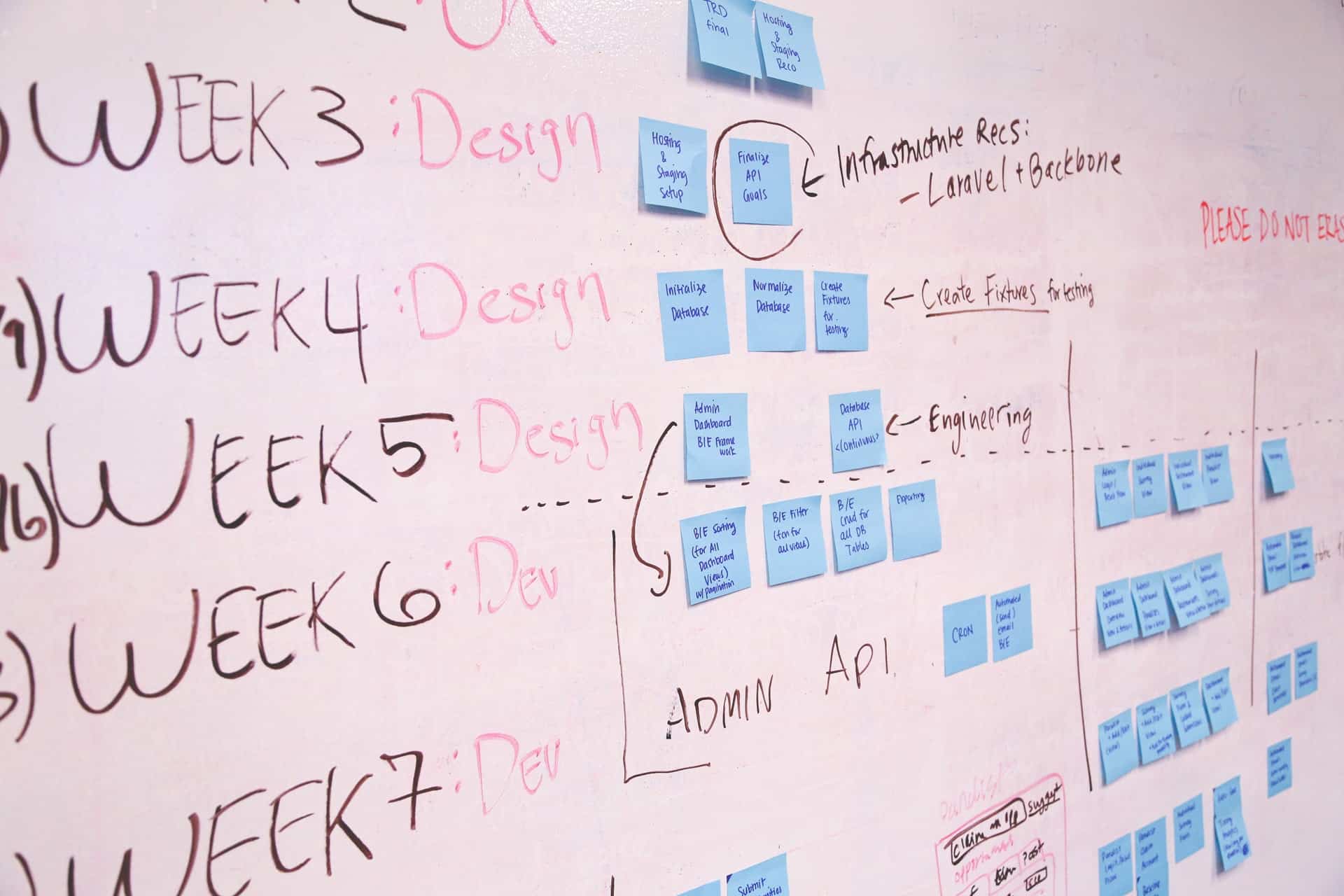
How it helps: It turns chaotic discussions into organized visual flows, empowering teams to think visually and iterate quickly. Miro sits perfectly at the beginning of the design process where ideas start to form.
4. InVision – Turning Feedback into Action
InVision started as a prototyping tool, but over time it has grown into a holistic collaboration platform. Especially loved for its feedback and version control capabilities, InVision bridges the gap between design and development with polished desktop and web applications that streamline the design process.
- Platform: Web-based and integrated with design tools
- Best Features: Design sharing, commenting, version history, developer handoffs
- Ideal for: Design teams needing structured feedback loops
One of InVision’s standout strengths is its review and approval system. Stakeholders can comment on specific components of the screen and reply directly to threads. It integrates beautifully with Sketch and Photoshop, letting designers sync files automatically without extra exporting steps.
Standout functionality: InVision’s “Boards” allow teams to visually organize assets, mood boards, and design ideas in a centralized space. For teams that go through many approval stages, this feature can be a game changer.
5. Zeplin – Effortless Developer Hand-offs
While Zeplin may not be a design tool in the traditional sense, it plays a vital role in the collaboration process. Zeplin bridges the divide between designers and developers by offering organized, style-guide-ready documentation and assets straight out of design files.
- Platform: Desktop and Web
- Best Features: Style guides, asset export, developer-friendly UI
- Ideal for: Handoff to developers, creating living documentation
Designers export their artwork from tools like Sketch, Figma, or Adobe XD directly into Zeplin. Developers then gain access to CSS snippets, measurements, and downloadables without back-and-forth questions. It helps enforce consistency and speeds up handover considerably.
Why it’s essential: Zeplin isn’t about designing but about making sure designs are implemented precisely as intended—down to the pixel.
Image not found in postmeta

Bonus Mentions
While these five top the charts, a few other tools deserve honorable mentions:
- Sketch – A classic macOS app that started it all for UI designers. It offers collaboration through integrations and plugins.
- FigJam – Figma’s whiteboard cousin, great for live workshops and design sprints.
- Canva for Teams – Surprisingly useful for marketing designers looking to collaborate on branded templates and social content.
Choosing the Right Tool for Your Team
There is no single “best” design collaboration tool—we all design differently, and each team has its own workflows and preferences. Here’s a quick guide to help you decide based on your needs:
- Need real-time editing and cloud storage? Go with Figma.
- Already using Adobe Suite? Try Adobe XD.
- Want a brainstorming playground? Miro should be your choice.
- Focused on prototyping and feedback? Check out InVision.
- Looking for better dev handoff? Let Zeplin do the heavy lifting.
Whatever your team’s priorities—be it speed, precision, creativity, or structure—these tools offer a spectrum of possibilities. Mixing one or two based on project phases (ideation vs. delivery) can be a smart strategy for maximum efficiency.
Conclusion
Design collaboration is no longer just about sharing screen captures or sending final mockups via email. Today’s modern design apps integrate feedback, prototyping, and even code export all in one ecosystem. They empower teams to work together more creatively, and more efficiently.
Whether you’re part of a startup sprinting to MVP or a seasoned agency refining global design systems, having the right set of collaborative design tools can make all the difference. Explore one or more of the tools above—and take your team’s workflow to the next level.