



Modern businesses operate in an environment where speed, clarity, and collaboration determine success. Teams that once relied on email threads and spreadsheets now require powerful digital workspaces to coordinate tasks, manage deadlines, and measure performance. Project management apps have evolved into comprehensive ecosystems that centralize communication, visualize workflows, and automate repetitive work. When used effectively, these tools do more than organize tasks—they help teams achieve goals up to twice as fast.
TL;DR: Project management apps streamline collaboration, automate repetitive processes, and provide real-time visibility into progress. By centralizing communication and aligning teams around shared goals, these platforms eliminate inefficiencies that slow productivity. Features like task tracking, dashboards, integrations, and reporting enable teams to work smarter and faster. Choosing the right app can significantly accelerate goal achievement and improve overall performance.
Organizations across industries are discovering that productivity is less about working longer hours and more about working smarter. The right project management software reduces bottlenecks, enhances transparency, and keeps every stakeholder aligned with strategic objectives.
Why Traditional Project Management Slows Teams Down
Before the adoption of specialized software, teams often faced:
- Email overload and scattered communication
- Unclear task ownership
- Missed deadlines
- Limited visibility into progress
- Manual reporting processes
These challenges create friction. Employees spend more time searching for information than completing meaningful work. Project management apps address this by creating a single source of truth for all project-related activities.
Core Features That Accelerate Goal Achievement
High-performing teams rely on a set of features that directly impact speed and efficiency.
1. Centralized Task Management
All tasks are stored in one place, assigned to specific owners, and tracked in real time. This eliminates confusion and ensures accountability.
2. Visual Workflow Tools
Kanban boards, Gantt charts, and timeline views provide clarity on project stages.


Visual representations help teams instantly identify bottlenecks and rebalance workloads before delays occur.
3. Automation
Automation features reduce manual effort by:
- Automatically assigning tasks
- Sending deadline reminders
- Updating project statuses
- Generating reports
By automating repetitive actions, teams can focus on strategic initiatives instead of administrative tasks.
4. Real-Time Collaboration
Comments, mentions, file sharing, and live updates eliminate long email chains. Team members communicate directly within tasks, preserving context.
5. Data-Driven Reporting
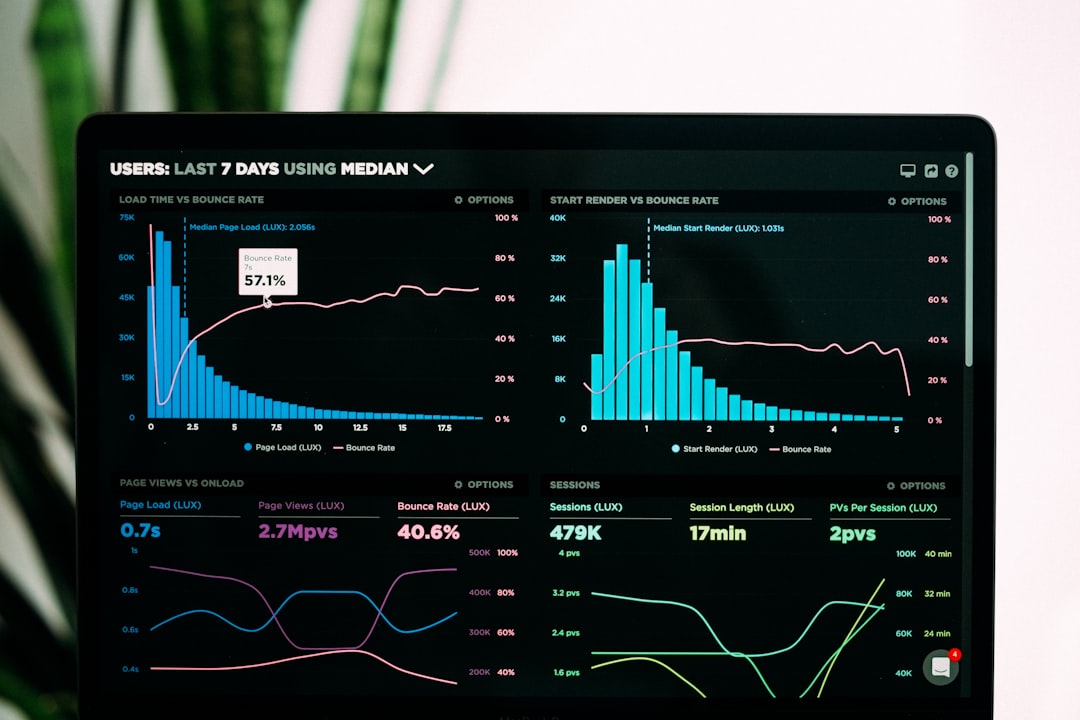
Built-in analytics dashboards allow leaders to track KPIs, monitor resource allocation, and make faster decisions.
Top Project Management Apps That Help Teams Move 2X Faster
While many tools exist, several platforms consistently stand out for driving measurable improvements in speed and efficiency.
1. Asana
Asana excels in task organization and workflow automation. Its intuitive interface and timeline features make it ideal for marketing, product, and operations teams. Automated rules reduce manual coordination.
2. Trello
Known for its simplicity, Trello uses Kanban-style boards that are easy to adopt. It works well for smaller teams seeking visual task tracking without complexity.
3. Monday.com
Monday.com offers highly customizable workflows and robust dashboards. Teams can tailor boards to match unique processes, making it suitable for scaling organizations.
4. ClickUp
ClickUp combines task management, document sharing, goal tracking, and automation in one platform. Its flexibility and feature depth support cross-functional collaboration.
5. Wrike
Wrike is popular among enterprise teams that require advanced reporting, resource management, and time tracking capabilities.
Project Management App Comparison Chart
| Tool | Best For | Key Strength | Automation | Reporting |
|---|---|---|---|---|
| Asana | Mid-sized teams | Workflow visualization | Advanced | Strong |
| Trello | Small teams | Ease of use | Basic | Moderate |
| Monday.com | Growing businesses | Customization | Advanced | Strong |
| ClickUp | Cross-functional teams | All-in-one features | Advanced | Strong |
| Wrike | Enterprises | Resource management | Advanced | Very Strong |
How These Apps Double Team Productivity
Improved Clarity and Alignment
Clear goals and documented responsibilities remove ambiguity. Every team member understands what needs to be done and when.
Reduced Context Switching
Switching between multiple tools wastes time. Integrated platforms consolidate communication, documentation, and tracking into a single system.

Enhanced Accountability
Assigned tasks with visible deadlines increase ownership. When progress is transparent, follow-through improves.
Faster Decision-Making
Real-time dashboards empower leaders to identify risks early. Instead of waiting for weekly reports, they can act immediately.
Better Resource Allocation
Workload views prevent burnout and underutilization. Managers can redistribute tasks quickly to maintain momentum.
Key Implementation Strategies for Success
Adopting a project management app alone will not automatically double performance. Successful implementation requires thoughtful planning.
Define Clear Objectives
Before onboarding a tool, leadership should identify specific goals such as reducing project turnaround time by 30% or improving deadline adherence.
Standardize Workflows
Creating templates ensures consistency across projects. Standard operating procedures embedded into software drive efficiency.
Train Team Members
Comprehensive training minimizes resistance and encourages full feature utilization.
Leverage Integrations
Most apps integrate with communication platforms, CRM systems, cloud storage, and accounting tools. Seamless integration reduces duplication of work.


Continuously Optimize Processes
Teams should regularly review dashboard data to identify improvement opportunities and refine workflows.
Industries Benefiting the Most
While nearly all industries gain from structured collaboration, certain sectors experience particularly strong results:
- Marketing agencies: Manage campaigns, content calendars, and client deliverables efficiently.
- Software development: Track sprints, bugs, and releases.
- Construction: Coordinate timelines, contractors, and materials.
- Healthcare administration: Streamline compliance initiatives and operational improvements.
- Education: Plan curriculum development and institutional projects.
Common Mistakes to Avoid
Despite clear benefits, some teams fail to unlock full potential due to avoidable errors:
- Overcomplicating workflows
- Ignoring automation capabilities
- Failing to update task statuses regularly
- Selecting tools without stakeholder input
- Underestimating onboarding importance
When organizations treat project management apps as strategic assets rather than simple task trackers, measurable improvement follows.
The Future of Project Management Technology
Artificial intelligence and predictive analytics are reshaping project management platforms. Emerging capabilities include:
- Predicting deadline risks before delays occur
- Automatically suggesting resource adjustments
- Smart workload balancing
- AI-generated performance insights
As these tools become more intelligent, the gap between average and high-performing teams will widen. Companies embracing innovation will accelerate outcomes while competitors struggle with outdated processes.
Conclusion
Project management apps have become indispensable for teams striving to achieve ambitious goals quickly and efficiently. By centralizing communication, automating manual processes, and offering real-time data visibility, these platforms eliminate the frictions that historically slowed organizations down. When thoughtfully implemented and consistently optimized, they empower teams to move with clarity, accountability, and speed—often achieving results in half the time.
Frequently Asked Questions (FAQ)
1. How do project management apps help teams work faster?
They centralize task tracking, automate repetitive processes, and improve communication. This reduces time spent searching for information or clarifying responsibilities.
2. Are project management tools suitable for small teams?
Yes. Many platforms offer simplified versions ideal for small teams, particularly those seeking visual workflow tracking without complex configuration.
3. What features should organizations prioritize?
Key features include task assignment, automation, reporting dashboards, collaboration tools, and integrations with existing software systems.
4. How long does it take to see productivity improvements?
Teams often notice better alignment and visibility within weeks, but significant efficiency gains typically appear after full adoption and workflow optimization.
5. Can project management apps integrate with other business tools?
Most leading apps integrate with communication platforms, CRM systems, file storage services, and accounting software to create a seamless workflow ecosystem.
6. Is employee training necessary?
Yes. Proper onboarding ensures that team members use advanced features effectively, maximizing productivity gains.