


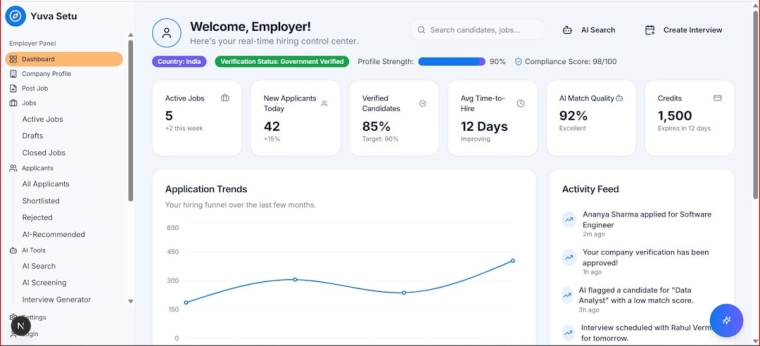
Modern marketing teams depend on more than attractive newsletters and occasional promotions. They need systems that connect subscriber behavior, sales activity, customer history, and campaign performance in one measurable workflow. Email marketing tools with CRM integrations and analytics dashboards help organizations turn email from a standalone channel into a coordinated revenue engine.
TLDR: Email marketing platforms with CRM integrations allow teams to manage contacts, segment audiences, automate campaigns, and track sales outcomes from one connected environment. Built-in analytics dashboards make it easier to measure open rates, clicks, conversions, revenue, and customer engagement over time. The strongest tools combine automation, clean data syncing, personalization, and clear reporting so marketing and sales teams can make better decisions faster.
Why CRM Integration Matters in Email Marketing
Email marketing becomes significantly more powerful when it is connected to a customer relationship management system. A CRM stores important details about leads, prospects, and customers, including contact information, purchase history, sales stage, support interactions, preferences, and engagement patterns. When this information flows into an email platform, campaigns can become more relevant and timely.
Without CRM integration, marketers may rely on disconnected lists, outdated spreadsheets, or incomplete customer records. This often leads to generic messaging, duplicated contacts, missed follow ups, and inaccurate reporting. With a connected system, email activity can be tied directly to contact records, helping sales and marketing teams see a complete view of the customer journey.
For example, a lead who downloads a guide, opens three emails, and clicks a product link can automatically be marked as highly engaged. A sales representative can then follow up with context, while the marketing team continues sending targeted content based on that behavior. This type of coordination helps businesses avoid random outreach and instead create intent driven communication.

Core Features of Email Marketing Tools With CRM Integrations
The best email marketing platforms offer more than basic campaign sending. They combine contact management, automation, segmentation, personalization, and reporting into a single workflow. While every business has different needs, several features are especially valuable.
- Two way contact syncing: Contact details, tags, lifecycle stages, and activity updates should move between the CRM and email tool automatically.
- Audience segmentation: Teams should be able to group contacts by industry, location, behavior, purchase history, deal stage, or engagement level.
- Automated workflows: Platforms should support welcome sequences, lead nurturing, abandoned cart emails, reactivation campaigns, and post purchase follow ups.
- Personalized content: Email content can change based on customer attributes, preferences, or previous interactions.
- Lead scoring: Engagement data can help identify which prospects are most likely to convert.
- Campaign attribution: Marketers can connect email activity to pipeline value, closed deals, revenue, or repeat purchases.
- Compliance tools: Features such as unsubscribe management, consent tracking, and permission based lists help maintain privacy standards.
These features allow teams to move beyond mass mailing and build structured communication journeys. Instead of sending the same message to every subscriber, the platform can deliver the right message to the right contact at the right stage.
The Role of Analytics Dashboards
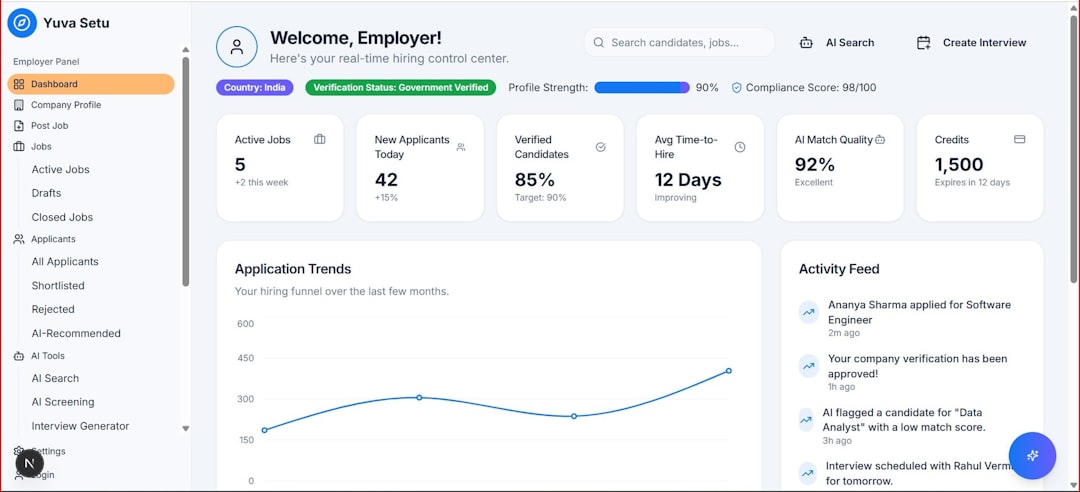
Analytics dashboards are essential because they translate campaign activity into meaningful insight. A strong dashboard does not simply show whether an email was sent. It reveals how subscribers responded, which segments performed best, which messages generated revenue, and where the audience lost interest.
Common email analytics include open rate, click through rate, bounce rate, unsubscribe rate, and conversion rate. However, CRM connected dashboards can go deeper. They may show how many email engaged leads moved into a sales pipeline, how much revenue was influenced by a campaign, or how long it took for an email subscriber to become a customer.
Dashboards also help teams compare performance over time. A marketer can examine whether a monthly newsletter is improving engagement, whether a new subject line style increases opens, or whether a product announcement leads to more demos. Sales managers can see which email campaigns create qualified opportunities, while executives can view high level return on investment.
How CRM Data Improves Personalization
Personalization is one of the biggest advantages of combining email marketing tools with CRM data. Basic personalization might include using a contact’s first name, but advanced personalization goes further. A business can tailor emails based on recent purchases, company size, subscription plan, lead source, customer status, or sales conversation history.
For instance, a software company may send different onboarding emails to trial users, paying customers, and enterprise prospects. A retailer may recommend products based on previous purchases. A service provider may send renewal reminders before a contract expires. Each of these examples depends on reliable CRM data flowing into the email platform.
Relevant messages usually perform better than generic ones because they reflect the recipient’s actual needs and stage in the customer journey. When a subscriber feels that a message is timely and useful, engagement is more likely to increase.

Automation Workflows That Connect Marketing and Sales
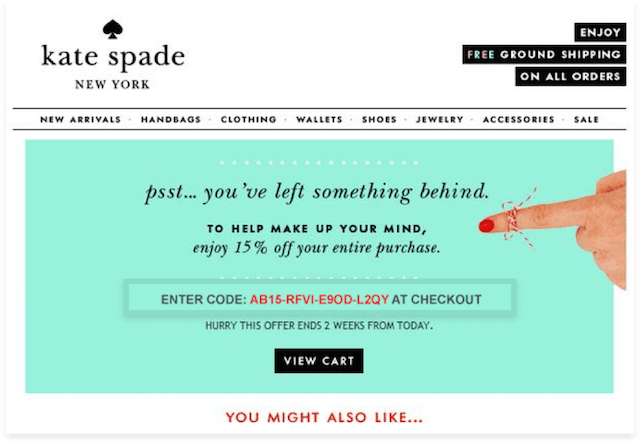
Automation is where CRM integration often delivers the greatest operational value. Instead of manually assigning tasks, sending reminders, or updating records, teams can create rules that trigger actions automatically.
A common workflow may begin when a visitor fills out a form on a website. The contact is added to the CRM, assigned a lead source, entered into a welcome sequence, and scored based on engagement. If the contact clicks a high intent link, the CRM can notify a sales representative or move the lead to a different stage. If the contact does not engage, the system can send educational content or pause outreach.
Other useful automated workflows include:
- Welcome campaigns for new subscribers or customers.
- Lead nurturing sequences that educate prospects before a sales conversation.
- Re engagement campaigns for inactive contacts.
- Event follow ups after webinars, conferences, or product demonstrations.
- Customer retention emails based on renewal dates, usage patterns, or satisfaction signals.
- Upsell and cross sell campaigns triggered by previous purchases or account milestones.
When designed carefully, automation helps teams stay consistent without making communication feel robotic. The key is to use customer data thoughtfully and avoid overwhelming recipients with too many messages.
Important Analytics Metrics to Track
Although every organization has unique goals, several metrics are especially important when evaluating email tools with CRM integrations and analytics dashboards.
- Deliverability: Measures whether emails are reaching inboxes instead of bouncing or landing in spam folders.
- Open rate: Indicates how often recipients open an email, although privacy changes can make this metric less exact.
- Click through rate: Shows whether the content motivates recipients to take action.
- Conversion rate: Tracks the percentage of recipients who complete a desired action, such as booking a demo or making a purchase.
- Revenue per email: Measures financial performance from a campaign or automation sequence.
- Lead to customer rate: Shows how efficiently email nurtured leads become paying customers.
- List growth and churn: Tracks whether the subscriber base is expanding while maintaining quality.
- Engagement by segment: Reveals which audience groups respond best to specific messages.
The most effective dashboards make these metrics easy to understand. They use charts, filters, and summaries so teams can identify trends without digging through raw data. A clear dashboard should answer practical questions, such as which campaign worked, which audience responded, and what should be improved next.
Choosing the Right Platform
Selecting the best tool depends on the size of the organization, technical needs, sales process, budget, and marketing maturity. A small business may prioritize simplicity, affordable pricing, and ready made templates. A growing company may need stronger automation, CRM syncing, and pipeline reporting. Larger organizations often require advanced segmentation, custom dashboards, account based marketing features, and detailed permission controls.
Before choosing a platform, decision makers should evaluate several factors:
- CRM compatibility: The platform should integrate smoothly with the existing CRM or include a built in CRM that fits the organization’s workflow.
- Ease of use: Marketing and sales teams should be able to build campaigns, update segments, and read reports without constant technical support.
- Data quality: The system should prevent duplicates, support custom fields, and maintain accurate contact histories.
- Automation flexibility: Workflows should support branching logic, behavioral triggers, and lifecycle based communication.
- Reporting depth: Dashboards should connect email engagement to business outcomes, not just surface level activity.
- Scalability: The tool should remain useful as contact lists, campaign complexity, and reporting needs grow.
- Support and documentation: Reliable onboarding resources and customer support can reduce implementation challenges.
Organizations should also consider how the platform handles privacy, consent, and data security. Since email tools and CRMs often store sensitive customer information, strong access controls and compliance features are important.


Benefits for Sales and Marketing Alignment
One of the major business benefits of using integrated email and CRM systems is better alignment between marketing and sales. Marketing teams can see which campaigns generate qualified leads, while sales teams can view email engagement before contacting a prospect. This shared visibility reduces confusion and improves timing.
For example, a sales representative can see that a prospect recently opened a pricing email and clicked a case study. That information makes the follow up more relevant. Instead of making a cold call with limited context, the representative can reference the prospect’s apparent interest and offer helpful next steps.
Marketing teams also benefit from sales feedback. If many leads from a campaign do not convert, marketers can review the messaging, targeting, or offer. If certain email sequences consistently create opportunities, those campaigns can be expanded. A shared data environment encourages both teams to focus on measurable outcomes instead of isolated activity.
Common Challenges and How to Avoid Them
While integrated tools are powerful, they can create problems if implemented poorly. One common issue is messy data. Duplicate contacts, missing fields, and inconsistent tags can weaken segmentation and reporting. Businesses should clean existing records before syncing systems and establish clear rules for data entry.
Another challenge is over automation. When too many triggers are active, contacts may receive excessive or conflicting emails. Teams should map the customer journey carefully and test workflows before launching them widely. Frequency controls and suppression lists can help prevent message fatigue.
Dashboards can also become overwhelming if they include too many metrics. A useful report should focus on goals that matter to the business. Instead of tracking every possible number, teams should identify key performance indicators related to engagement, pipeline, revenue, retention, and customer satisfaction.
Best Practices for Better Results
To get the most value from email marketing tools with CRM integrations and analytics dashboards, organizations should follow a structured approach. First, they should define campaign goals clearly. A newsletter, lead nurturing sequence, product launch, and retention campaign may each require different metrics and messaging.
Second, teams should segment audiences based on meaningful criteria. Segments can be built around lifecycle stage, purchase history, engagement level, industry, or interest. Third, automation should be reviewed regularly to ensure that messages remain accurate and useful. Finally, dashboard data should guide continuous improvement. Subject lines, offers, calls to action, and sending times can all be tested and refined.
The strongest results usually come from combining technology with strategy. A sophisticated platform alone does not guarantee success. Businesses still need clear positioning, valuable content, clean data, and a deep understanding of their audience.
Conclusion
Email marketing tools with CRM integrations and analytics dashboards give organizations a practical way to connect communication, customer data, and measurable business outcomes. They help teams personalize messages, automate follow ups, monitor performance, and align sales with marketing activity. When implemented thoughtfully, these systems can improve engagement, increase conversions, and support long term customer relationships.
As digital communication becomes more competitive, businesses that rely on disconnected tools may struggle to understand their audience and prove campaign value. Integrated platforms provide the visibility and control needed to make email marketing more strategic, more efficient, and more accountable.
FAQ
What is an email marketing tool with CRM integration?
It is a platform that connects email campaign management with customer relationship data. This allows contact details, sales stages, engagement history, and customer activity to sync between email and CRM systems.
Why are analytics dashboards important for email marketing?
Analytics dashboards help teams measure campaign performance, identify trends, compare audience segments, and connect email activity to outcomes such as conversions, sales opportunities, and revenue.
What metrics should a business track first?
A business should start with deliverability, click through rate, conversion rate, unsubscribe rate, revenue influenced, and engagement by segment. These metrics provide a balanced view of both email performance and business impact.
Can small businesses benefit from CRM integrated email tools?
Yes. Small businesses can use these tools to organize contacts, automate follow ups, personalize campaigns, and understand which messages lead to sales or customer retention.
How often should email dashboards be reviewed?
Campaign dashboards should usually be reviewed after each send or automation milestone. Broader performance trends can be reviewed weekly, monthly, or quarterly depending on campaign volume and business goals.
What is the biggest mistake to avoid?
The biggest mistake is using automation and data without a clear strategy. Poor segmentation, messy CRM records, and excessive email frequency can reduce trust and damage campaign performance.