


Modern web applications rely heavily on session storage to maintain state, track user interactions, and deliver seamless experiences. Whether it is authentication tokens, form inputs, feature flags, or temporary UI preferences, session storage plays a critical role in front-end functionality. However, when something goes wrong, debugging session storage can quickly become complex without the right tools.
TLDR: Session storage is essential for maintaining temporary state in modern web applications, but debugging it can be challenging without proper tools. Browser DevTools, application monitoring platforms, state management inspectors, and proxy debugging tools provide deep visibility into how session data behaves. These tools help developers identify inconsistencies, expired tokens, serialization issues, and cross-tab conflicts. Choosing the right combination significantly improves reliability and troubleshooting speed.
To effectively monitor and debug session storage, developers need visibility, traceability, and real-time inspection capabilities. Below are four powerful types of session storage debugging tools that help teams monitor app state efficiently and resolve issues faster.
1. Browser Developer Tools
Almost every modern browser includes built-in developer tools that allow inspection of application storage. These tools are often the first line of defense when debugging session-related issues.
Key capabilities include:
- Viewing and editing sessionStorage key-value pairs
- Real-time updates as data changes
- Clearing individual entries or entire sessions
- Monitoring storage events


In browsers like Chrome, Edge, and Firefox, developers can navigate to the Application (or Storage) tab to inspect session storage data specific to a domain. This allows them to quickly verify whether expected values are being written correctly or if keys are missing entirely.
Why it matters:
Many state-related bugs stem from:
- Improper serialization (e.g., JSON parsing errors)
- Keys being overwritten unintentionally
- Session data not updating as expected
- Unexpected removal during navigation
Developer tools make it simple to simulate changes manually. For example, a developer can alter a token value or modify a UI flag directly in session storage to observe how the application responds.
Limitations:
- No historical tracking of changes
- No automated logging of storage mutations
- Manual inspection required
While browser DevTools are essential for immediate inspection, teams working on complex applications often need deeper monitoring capabilities.
2. Application Performance Monitoring (APM) Tools
Application Performance Monitoring platforms provide visibility beyond the browser. These tools capture runtime behavior, errors, and sometimes session-level data for better state analysis.
Core benefits include:
- Tracking JavaScript errors tied to session state
- Capturing user sessions for playback
- Monitoring API calls linked to session tokens
- Identifying performance bottlenecks caused by state mismanagement
Unlike browser DevTools, APM tools can reveal how session storage affects users in production environments. For example, if a session token expires prematurely, the APM system may log authentication failures correlated with specific browser conditions.

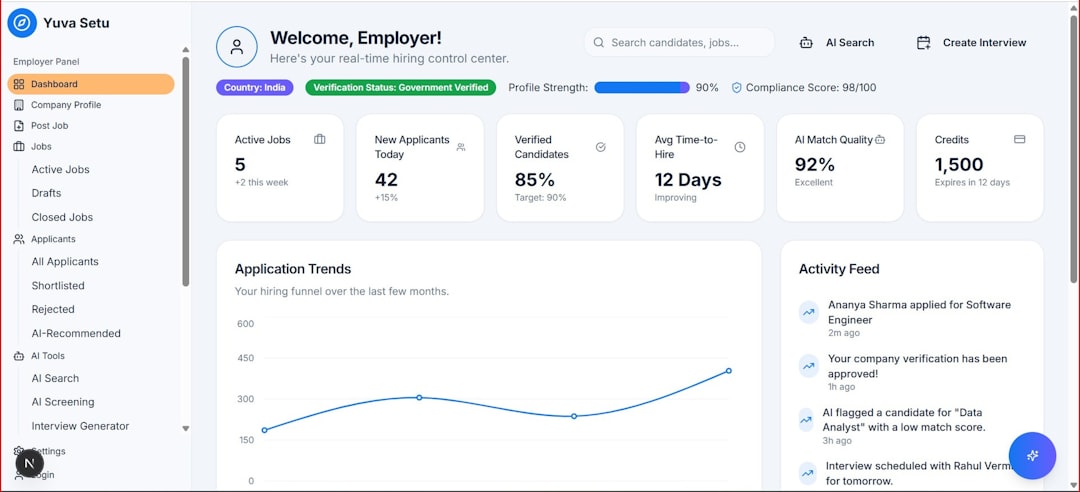
Session replay features are particularly useful. These allow developers to visually trace user interactions and see how session state evolved during a browsing session. Combined with console logs and network monitoring, it creates a comprehensive debugging picture.
Use Case Example:
If users report being unexpectedly logged out:
- APM logs can confirm token invalidation timing.
- Network tracing may reveal failed refresh requests.
- Session replay can show whether storage was cleared by script errors.
Advantages:
- Works in production
- Provides historical data
- Supports team-wide access to logs
Drawbacks:
- May require configuration to capture custom session keys
- Not ideal for quick local debugging
APM platforms are powerful complements to in-browser debugging, especially for distributed teams managing large user bases.
3. State Management DevTools and Inspectors
Modern front-end frameworks often rely on centralized state management libraries. Tools built for inspecting application state can be used alongside session storage monitoring.
Popular features include:
- Time-travel debugging
- Action tracking
- State snapshots
- Mutation logging


Although these tools primarily track in-memory state, session storage is frequently used as a persistence layer. Developers often synchronize application state with session storage, meaning inconsistencies between the two can cause subtle bugs.
How this helps:
Imagine an app that:
- Saves filter preferences in session storage
- Syncs them with centralized state on page load
If the synchronization logic fails, users might see outdated filters applied. A state inspector can reveal:
- Whether the correct action was dispatched
- If the reducer stored the correct value
- When the state diverged from session storage data
Time-travel debugging is especially beneficial. Developers can step backward through application state changes to locate the exact moment when incorrect data was introduced.
Best for:
- Complex single-page applications
- Apps with multi-step forms
- Dashboards with layered UI states
Challenges:
- Does not automatically track browser storage changes
- Requires integration into development workflow
When paired with browser storage inspection, state management DevTools provide a clear map of how front-end state flows between memory and session persistence.
4. Proxy and Network Debugging Tools
Session storage often interacts closely with authentication systems and APIs. Proxy and network debugging tools provide insight into how session-based data moves between client and server.
Main capabilities include:
- Inspecting HTTP headers and tokens
- Modifying requests and responses
- Simulating expired sessions
- Testing cross-origin storage behavior
When session storage contains authentication tokens, mismatches between storage values and server expectations can cause failures. Network debugging tools allow teams to inspect outgoing requests and verify:
- Whether the correct token is attached
- If headers align with stored session data
- Whether server responses trigger storage updates
Practical Scenario:
If an application refreshes access tokens silently, developers need to confirm:
- The refresh request executes before expiration
- The new token replaces the old one in session storage
- No race conditions exist between concurrent requests
Proxy tools can also simulate adverse conditions such as:
- Slow network speeds
- Server timeouts
- Unauthorized responses
This enables thorough testing of session-related failure handling before deployment.
Strengths:
- Excellent for debugging authentication flows
- Works across multiple devices
- Supports advanced testing scenarios
Weaknesses:
- Higher learning curve
- External tools may require system-level configuration
Best Practices for Session Storage Debugging
Beyond selecting the right tools, maintaining structured debugging practices ensures consistent results.
Recommended strategies:
- Always stringify consistently when storing objects
- Validate data schema before writing to storage
- Implement clear naming conventions for session keys
- Add logging hooks around storage set and remove operations
- Test across multiple tabs to detect isolation issues
Additionally, developers should remember that session storage:
- Is scoped per tab
- Clears when the tab closes
- Does not share data across browser windows
Misunderstanding these characteristics is often the root cause of confusing bugs.
Combining Tools for Maximum Effectiveness
No single tool provides complete visibility. The most effective debugging workflows combine:
- Browser DevTools for real-time inspection
- State inspectors for tracking application logic
- APM platforms for production-level monitoring
- Network proxies for authentication and API validation
This layered approach ensures coverage across development, staging, and production environments.
As applications grow more dynamic, session storage becomes tightly interwoven with client-side architecture. Proactive monitoring and comprehensive debugging strategies are no longer optional—they are essential for delivering robust user experiences.
FAQ
1. What is session storage used for in web applications?
Session storage is used to store temporary data specific to a browser tab. It commonly holds authentication tokens, UI preferences, and temporary form data that should persist only during an active session.
2. How is session storage different from local storage?
Session storage is cleared when a tab closes and is isolated per tab. Local storage persists across browser sessions and is shared across tabs within the same origin.
3. Why does my session storage data disappear unexpectedly?
Common causes include tab refresh logic errors, overwritten keys, explicit calls to sessionStorage.clear(), or browser security settings that block storage access.
4. Can session storage be monitored in production?
Yes. Application Performance Monitoring tools and session replay platforms allow developers to capture application behavior and analyze state-related issues in live environments.
5. Is session storage secure for authentication tokens?
While safer than some alternatives in specific scenarios, session storage is still accessible via JavaScript. Developers must protect against cross-site scripting (XSS) vulnerabilities to prevent token theft.
6. What is the fastest way to debug session storage issues?
Start with browser developer tools to inspect key-value pairs and confirm expected data is present. Then use state inspection or network debugging if the issue involves application logic or API interactions.
7. Can session storage be shared across tabs?
No. Session storage is unique to each tab. If cross-tab communication is required, alternatives like local storage events or BroadcastChannel APIs must be used.