



Great web experiences rarely happen by accident. They are the result of thoughtful strategy, fast technology, user-centered design, clear messaging, and continuous improvement. For companies competing in crowded digital markets, the website is no longer just an online brochure; it is a sales engine, support channel, brand platform, and customer relationship tool all at once.
TLDR: Companies build better web experiences by combining speed, usability, personalization, accessibility, and strong content. The best results come from treating the website as a living product, not a one-time project. By using the right mix of analytics, testing, design systems, automation, and customer feedback, businesses can create web experiences that feel useful, trustworthy, and enjoyable.
15 Solutions That Help Companies Build Better Web Experiences
A better web experience means more than a sleek homepage. It means visitors can quickly understand what you offer, find what they need, trust your brand, and complete actions without friction. Below are 15 practical solutions companies can use to improve the way people interact with their websites.
1. Start With User Research
Every strong website begins with understanding the people who will use it. User research helps companies learn what customers want, what frustrates them, and what language they use when describing their problems.
Research can include customer interviews, surveys, usability studies, heatmaps, session recordings, and support ticket analysis. These insights prevent teams from designing around assumptions. Instead of asking, “What do we want to say?” companies can ask, “What does the user need to accomplish?”
2. Improve Website Speed
Speed is one of the most important parts of the web experience. A beautiful website that loads slowly can still lose visitors within seconds. Fast pages improve user satisfaction, search performance, and conversion rates.
- Compress images and use modern file formats.
- Minimize unnecessary scripts and plugins.
- Use caching and content delivery networks.
- Optimize code for mobile and desktop performance.
Small speed improvements can create large business gains, especially for ecommerce, booking, and lead generation websites.
3. Design for Mobile First
Many visitors will experience a company’s website first on a phone. Mobile-first design means creating the experience for smaller screens before adapting it to desktop. This approach forces teams to prioritize the most important content and actions.
Buttons should be easy to tap, text should be readable without zooming, forms should be short, and navigation should feel effortless. A mobile experience should not feel like a reduced version of the desktop site; it should feel intentionally designed for users on the go.


4. Create Clear Navigation
Navigation is the map of a website. If visitors cannot find what they are looking for, they may leave even if the content exists. Clear navigation uses familiar labels, logical categories, and a structure that reflects user priorities.
Companies should avoid clever menu names that confuse visitors. For example, “Solutions,” “Pricing,” “Resources,” and “Contact” are often more useful than vague or overly branded labels. Search functionality can also help users find information faster, especially on content-heavy sites.
5. Use Strong Visual Hierarchy
Visual hierarchy guides attention. It tells visitors what to notice first, what to read next, and where to click. Companies can improve hierarchy through headings, spacing, typography, color contrast, imagery, and button placement.
A strong page does not make every element compete for attention. Instead, it creates a smooth path from awareness to action. The most important message should be immediately visible, and supporting details should be easy to scan.
6. Write Content That Helps, Not Just Sells
Good web content answers real questions. Visitors often arrive with doubts, comparisons, objections, or urgent needs. Companies that provide useful, honest, and specific content build trust faster.
Helpful content may include product explanations, buying guides, FAQs, case studies, tutorials, industry insights, and comparison pages. The goal is not to overwhelm visitors with information, but to help them make confident decisions.
Clear writing is a web experience feature. Short paragraphs, meaningful headings, plain language, and direct calls to action can make a website feel dramatically easier to use.
7. Personalize the Experience
Personalization allows companies to show more relevant content based on visitor behavior, location, industry, past purchases, or lifecycle stage. For example, a returning customer might see different recommendations than a first-time visitor.
Effective personalization should feel helpful, not intrusive. It might include tailored product suggestions, location-specific information, dynamic homepage content, or personalized email-to-website journeys. When done well, personalization reduces effort and makes users feel understood.
8. Make Accessibility a Priority
Accessible websites are designed so people with different abilities can use them. This includes users who rely on screen readers, keyboard navigation, captions, high contrast, or other assistive technologies.
- Use descriptive alt text for meaningful images.
- Make sure text has strong color contrast.
- Ensure forms have clear labels and error messages.
- Allow the website to be navigated with a keyboard.
- Use headings in a logical order.
Accessibility is both an ethical responsibility and a business advantage. It expands reach, improves usability for everyone, and can reduce legal risk.
9. Simplify Forms and Checkout Flows
Forms are often where conversions happen, but they are also where users abandon a website. Whether the goal is a purchase, demo request, account signup, or newsletter subscription, companies should make forms as simple as possible.
Ask only for necessary information. Use smart defaults, autofill, progress indicators, and clear error messages. For ecommerce, guest checkout, multiple payment options, and transparent shipping costs can greatly improve completion rates.


10. Build Trust With Social Proof
People want reassurance before they act. Social proof helps visitors see that others have already trusted the company and received value. This can reduce hesitation and increase credibility.
Useful forms of social proof include:
- Customer testimonials and reviews.
- Case studies with measurable outcomes.
- Client logos and partner badges.
- Security certifications and trust seals.
- User-generated content and ratings.
The most convincing social proof is specific. “Our conversion rate increased by 32%” is usually stronger than “Great service.”
11. Use Analytics to Understand Behavior
Analytics tools help companies see what users actually do on the website. Metrics such as traffic sources, bounce rates, conversion rates, scroll depth, and top exit pages reveal where the experience is working and where it needs attention.
However, analytics are most powerful when tied to business goals. Instead of tracking everything, companies should define key actions such as purchases, demo requests, downloads, account creations, or repeat visits. The right data helps teams make smarter decisions instead of relying on opinion.
12. Test and Experiment Continuously
A website should never be considered finished. Continuous testing helps companies learn which messages, layouts, and features perform best. A/B testing can compare different headlines, calls to action, product page designs, pricing displays, or form lengths.
The key is to test one meaningful variable at a time and measure the result against a clear goal. Over time, small experiments can create major improvements in engagement and revenue.
Testing turns web design from a guessing game into a learning system.
13. Create a Consistent Design System
A design system is a collection of reusable components, styles, patterns, and guidelines. It helps teams create consistent web pages faster while maintaining quality. Buttons, forms, cards, navigation menus, icons, colors, and typography rules can all be part of a design system.
For growing companies, design systems reduce confusion between designers, developers, marketers, and content teams. They also make the website feel more polished because users experience the same patterns across different pages.
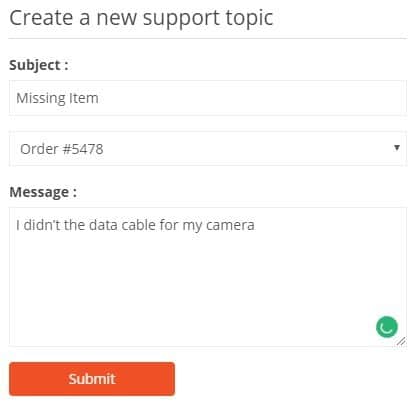
14. Integrate Customer Support Into the Website
Excellent web experiences anticipate questions and provide support at the right moment. This may include live chat, chatbots, help centers, knowledge bases, contact forms, product documentation, or guided troubleshooting.
Support should be easy to find, especially on pricing, checkout, account, and product pages. A visitor who cannot get an answer quickly may leave for a competitor. Companies can also use support data to identify content gaps and improve unclear pages.

15. Strengthen Security and Privacy
Trust is fragile online. Users want to know their personal information, payment details, and account data are safe. Companies should protect web experiences with secure hosting, SSL certificates, regular updates, strong authentication, and careful data handling.
Privacy also matters. Clear cookie notices, transparent data policies, and user control over preferences can make people feel more comfortable. Security should not be invisible to the business; it should be a core part of the customer experience.
How These Solutions Work Together
The best web experiences combine many of these solutions rather than relying on one. A fast website is better when it is also accessible. Great content performs better when navigation is clear. Personalization works best when supported by analytics and privacy-conscious practices.
Companies should think of the website as an ecosystem. Design, content, development, marketing, analytics, and customer support all influence how visitors feel. When these teams work together, the result is a smoother and more valuable experience.
Where Companies Should Start
Improving a website can feel overwhelming, but companies do not need to solve everything at once. A practical starting point is to identify the biggest friction points. Look at pages with high traffic but low conversion. Review common support questions. Test the mobile experience. Ask customers what confused them.
From there, prioritize improvements based on impact and effort. Some changes, such as clearer button text or shorter forms, can be quick wins. Others, such as building a design system or restructuring navigation, may require deeper planning.
Final Thoughts
Better web experiences are built through empathy, evidence, and iteration. Companies that listen to users, measure behavior, simplify journeys, and keep improving will create websites that do more than look good. They will create digital experiences that inform, persuade, support, and delight.
In a world where customers can leave a site in seconds, every detail matters. The companies that invest in strong web experiences are not just improving their websites; they are improving the way people experience their brand.