


Creating a professional logo has never been easier thanks to the rise of powerful online logo makers. However, not all logo editors are built equally. Designers and businesses looking for scalable, high-resolution graphics often need support for exporting files in vector formats like SVG and EPS. Whether it’s for web use, print design, or manipulating assets in Adobe Illustrator, having control over your export format is key.
TLDR: 10 Logo Makers With Advanced SVG and EPS Export
If you’re a designer or small business owner who needs professional-grade logo files, this list will help you find the best tools. These ten logo makers not only offer intuitive design interfaces but also allow you to export in vector formats like SVG and EPS. Vector formats are ideal for print, resizing, and advanced design tweaks. Read on to discover which logo maker fits your requirements.
1. Looka
Looka is a versatile online logo maker that combines AI technology with a user-friendly interface. Once your logo design is finalized, the platform allows users to export in multiple formats, including SVG and EPS.
- Offers advanced branding kits
- High-resolution as well as vector file downloads
- Perfect for startups looking for a full visual identity
2. Canva Pro
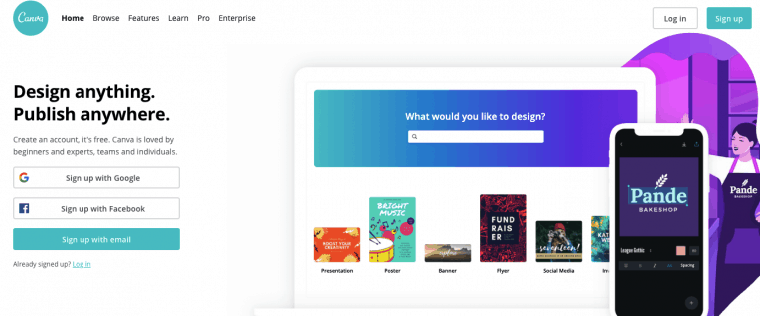
Canva Pro isn’t just a graphic design tool—it’s also a highly capable logo maker. With a Canva Pro subscription, users can download logos in SVG format for unlimited resizing and editing compatibility.
- Extensive font and icon libraries
- Drag-and-drop simplicity
- SVG export available only for Pro users


3. Hatchful by Shopify
Hatchful is Shopify’s free logo maker designed for entrepreneurs. While it’s a free service, it delivers high-resolution PNG files and optionally offers SVG and EPS formats when integrated with additional Shopify services or templates.
- User-friendly and free
- Dozens of industries to choose design styles from
- SVG export may require added features or paid options
4. DesignEvo
DesignEvo offers both a web-based app and a downloadable desktop version. One of its major selling points is the ability to export in SVG and EPS on even their basic paid plans.
- 10,000+ templates available
- Advanced editing tools for fine-tuning the logos
- Supports SVG and EPS on paid tiers
5. Tailor Brands
Tailor Brands uses AI to guide users through their logo creation process. Once finished, you can download your logo in various formats depending on your plan—including EPS and SVG.
- Ideal for branding and marketing automation
- Professional-grade exports
- Subscription required for vector files
6. LogoMakr
LogoMakr is a no-frills, browser-based design app that offers free logo creation. Users can pay a small fee to access high-resolution and vector downloads.
- Simple drag-and-drop interface
- One-time fee for high-quality files including EPS
- No login required to start designing
7. Wix Logo Maker
Wix Logo Maker offers a guided creation process using AI input, and integrates with the larger Wix ecosystem for easy website building. SVG and EPS files are included in premium branded packages.
- Great for businesses using Wix websites
- Custom logo suggestions based on industry and tone
- Requires payment for SVG and EPS

8. LogoGarden
LogoGarden has been around for over a decade and focuses on providing affordable and professional logos for small businesses. It supports multiple file exports, including SVGs suitable for web and print.
- Easy to use without registration
- Decent icon and font collection
- Best suited for quick, classic designs
9. GraphicSprings
GraphicSprings is ideal for those wanting complete creative control over their logo design. Once designed, users can purchase their logo and receive it in SVG, EPS, PDF, and PNG formats.
- Highly customizable logo templates
- One-time payment model
- Includes branding tools and social media kits
10. Ucraft Logo Maker
Ucraft provides a free online logo design platform, and unlike many free services, it allows users to export their files in SVG format without needing to pay or sign up.
- 100% free SVG export
- Basic but effective editing tools
- Great for quick DIY projects
Benefits of SVG and EPS Exports
Having access to SVG (Scalable Vector Graphics) and EPS (Encapsulated PostScript) exports is essential for creating flexible, high-resolution branding assets. Vector files are:
- Scalable: Resize without losing quality
- Edit-Friendly: Perfect for future tweaks in programs like Adobe Illustrator
- Print-Ready: Ideal for business cards, banners, signs, and merchandise
Which Tool is Best For You?
The right logo maker depends on your specific needs. If you require full control and versatility, tools like DesignEvo or GraphicSprings are highly capable. For beginners looking for free options, Ucraft and LogoMakr offer surprisingly robust features including SVG exports.
Conclusion
Choosing a logo design tool that supports advanced vector exports is crucial in maintaining a consistent and professional brand image. Whether you’re heading a startup, running a personal project, or designing for clients, these ten tools provide excellent paths to high-quality, scalable logos ready for any platform.
FAQ
- Q: What is the difference between SVG and EPS?
A: SVG is ideal for web and responsive designs due to its XML base, while EPS files are better suited for print and professional publishing environments. - Q: Why are vector formats important for logo design?
A: Vector formats ensure that logos can be resized without quality loss, making them essential for printing and large-scale display. - Q: Are there free logo makers that allow SVG export?
A: Yes, Ucraft and LogoMakr are among the few that provide this functionality either fully free or for a very low cost. - Q: Can I edit SVG or EPS files after downloading them?
A: Absolutely. SVG and EPS files can be edited using vector-based software like Adobe Illustrator or Inkscape. - Q: Are subscription-based logo makers worth the cost?
A: If you’re looking for brand kits, website integration, and ongoing edits, platforms like Tailor Brands or Canva Pro offer a good return on investment.