


Animated posts move quickly through social feeds, and followers often want to keep a clever reaction, a looping meme, a short tutorial clip, or a branded animation before it disappears into the timeline. A Twitter GIF downloader can make that process simple, but the best results come from knowing how Twitter handles GIFs, which tools are safe, and how to save files in a format that works across devices. With the right approach, any user can preserve animated content neatly, legally, and without wasting time.
TLDR: Twitter GIFs are usually stored as short video files, so a downloader often saves them as MP4 rather than a traditional GIF. A user should copy the post link, choose a reliable downloader, select the right quality, and save the file with a clear name. For the safest experience, he or she should avoid suspicious ads, respect copyright, and organize downloaded animations into folders for easy reuse.
Why Twitter GIFs Are Not Always “Real” GIFs
Many people assume that a GIF on Twitter is a standard .gif file, but the platform often converts animated GIFs into short video formats for faster loading and smoother playback. This means a downloader may export the animation as an MP4 file instead of a GIF. That is not a problem for most users, because MP4 files are smaller, clearer, and easier to share on many platforms.
However, anyone who specifically needs a GIF for a website, chat app, or design project may need to convert the downloaded MP4 back into a GIF. The important point is that a user should understand the final format before saving, so the file fits the intended purpose.


1. Start with the Correct Tweet Link
The first step in saving animated content is copying the correct post link. On desktop, a user can usually open the post, click the share icon, and choose “Copy link”. On mobile, the same option appears in the share menu. If the GIF is inside a thread, quote post, or reply, it is best to open the specific post containing the animation before copying the URL.
Using the wrong link is one of the most common reasons a downloader fails. If the copied URL points to a profile, search page, or thread rather than the exact post, the tool may not detect the animated content. A clean post link gives the downloader the best chance of finding the correct media file.
2. Choose a Reliable Downloader
A good Twitter GIF downloader should be simple, fast, and transparent. It should not force unnecessary app installations, demand login credentials, or redirect the user through several confusing pages. A reliable tool typically asks for only one thing: the post URL.
When evaluating a downloader, a user should look for:
- No login requirement: A downloader should not ask for a Twitter password.
- Clear download buttons: The page should make it obvious which button saves the file.
- Quality options: Some tools offer multiple resolutions for the same animation.
- Minimal pop ups: Too many pop ups may signal a poor or unsafe experience.
- Mobile support: The tool should work smoothly on both phone and desktop browsers.
Because many free downloaders rely on advertising, users should remain attentive. If a site asks for unrelated permissions, triggers fake virus warnings, or automatically downloads unknown files, it is better to close the page and choose another option.
3. Pick the Right File Quality
Not every saved animation needs the highest quality available. A short reaction GIF for a group chat may work perfectly at a smaller size, while a tutorial clip, brand animation, or visual reference may need higher resolution. Choosing the right quality helps balance clarity and file size.
Higher quality files look sharper but take up more storage and may be slower to upload. Lower quality files are easier to send and store but may appear blurry, especially if the animation includes text. A good rule is to select the highest quality when archiving important content and a medium quality when saving casual reactions.
4. Save Animated Content with Useful File Names
Many downloaders create files with generic names, such as video123.mp4 or download.gif. Over time, these names become impossible to search. A user who saves GIFs regularly should rename each file immediately after downloading.
A clear naming system might include the topic, mood, creator, or date. For example, a file could be named happy reaction cat june 2026.mp4 or product demo animation launch idea.gif. This small habit can save a lot of time later, especially for social media managers, content creators, journalists, and meme collectors.

5. Organize Downloads by Category
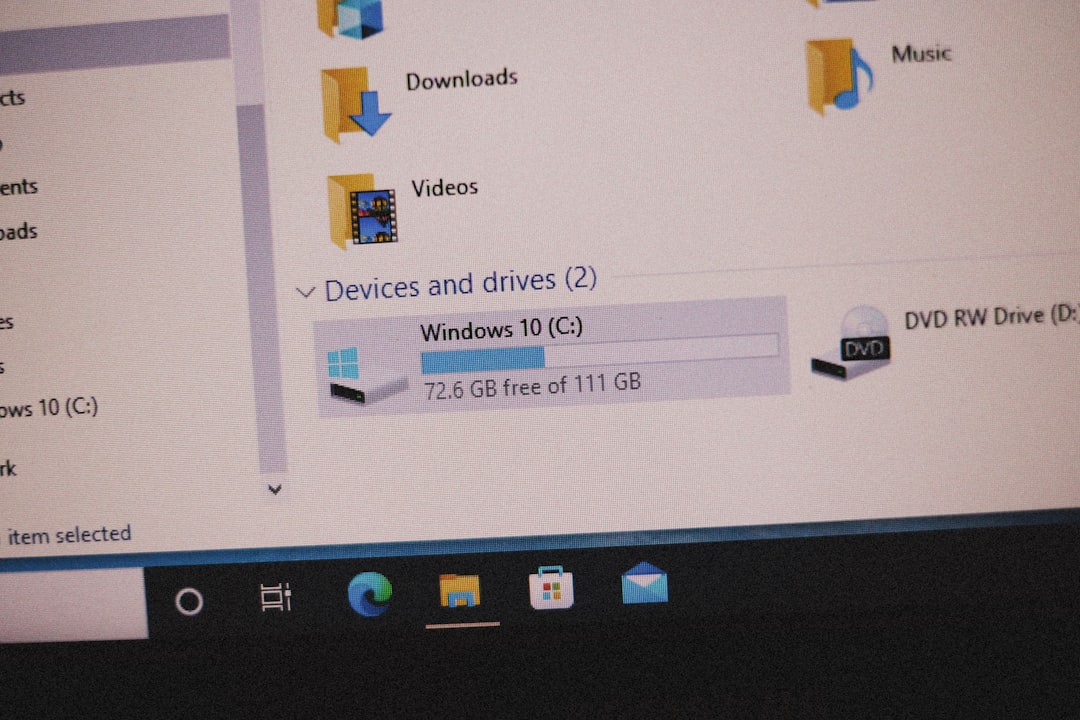
After saving more than a few animations, organization becomes essential. A user can create folders based on mood, project, source, or use case. For example, one folder may contain reaction GIFs, another may hold tutorial clips, and another may store brand inspiration.
Useful folder categories include:
- Reactions: Funny, surprised, excited, confused, or dramatic animations.
- Work references: Product demos, design ideas, interface examples, or marketing clips.
- Memes: Viral loops, pop culture moments, and reusable jokes.
- Education: How to clips, explainers, charts, or visual instructions.
- Personal favorites: Content saved simply because it is enjoyable.
Cloud storage can also help users access their saved animations from multiple devices. However, private or sensitive media should be stored carefully, especially if it includes people, workplace information, or unpublished content.
6. Convert MP4 to GIF When Needed
Since Twitter often stores GIFs as video, a downloaded file may be in MP4 format. This is ideal for high quality playback, but some users need a traditional GIF file for specific uses. In that case, an MP4 to GIF converter can help.
When converting, a user should pay attention to frame rate, duration, and dimensions. A very long or high resolution GIF can become extremely large. Trimming the clip to the most important moment can keep the file small and easy to share. Reducing the width can also make the GIF more practical for websites, emails, and messaging apps.
For users who want both flexibility and quality, saving the original MP4 and then creating a separate GIF version is often the best option. The MP4 can serve as the master file, while the GIF can be used wherever looping image formats are required.
7. Use Mobile Downloading Carefully
Many people save animated content directly from a phone. Mobile downloading is convenient, but it can also be slightly more confusing because browser downloads, file managers, and photo galleries behave differently on each device.
On Android, downloaded files often appear in the Downloads folder or inside the browser’s downloads menu. On iPhone, the file may appear in the Files app rather than the Photos app, especially if it is an MP4. A user may need to manually save or share the file to the desired app.
Those who download frequently should learn where their device stores browser files. This prevents duplicate downloads and makes it easier to find animations later.
8. Watch Out for Copyright and Permission Issues
Saving a GIF for personal reference is not the same as reposting it publicly. Animated content may include copyrighted footage, original artwork, music, branding, or someone’s personal likeness. A responsible user should consider whether he or she has permission to reuse the content, especially for business, advertising, or monetized posts.
If the animation was created by an artist, editor, or brand, credit may be appropriate when sharing. In some cases, permission may be required. Publicly available content is not automatically free to reuse without limits. Careful users avoid problems by saving content for personal use, linking back to the original post, or asking the creator before republishing.
9. Avoid Low Quality Screen Recording When Possible
Some users try to save Twitter GIFs by recording their screen. While this can work in an emergency, it usually creates lower quality results. Screen recordings may include interface elements, notifications, uneven cropping, or lower frame rates. A proper downloader usually produces a cleaner file with better resolution.
Screen recording should be a backup option, not the main method. If a downloader can access the original media file, the saved animation will generally look better and take less editing afterward.


10. Keep a Simple Workflow
The easiest way to save Twitter animated content is to follow a repeatable workflow. A user can open the post, copy the link, paste it into a downloader, choose quality, download the file, rename it, and place it into the correct folder. This process takes less than a minute once it becomes familiar.
For creators and social media professionals, a consistent workflow is especially valuable. It reduces mistakes, keeps files searchable, and helps build a library of visual references. Whether someone is collecting memes for entertainment or saving examples for a marketing campaign, organization makes the entire process more useful.
Best Practices for Safe and Easy GIF Downloading
To make the experience smoother, a user should keep several best practices in mind. First, it is wise to download only from reputable websites and avoid giving away personal account information. Second, the user should check the file format before assuming the media is a GIF. Third, downloaded animations should be stored in a clear folder system.
It also helps to periodically clean the download folder. Animated files can accumulate quickly, and even small clips can take up considerable storage over time. Deleting duplicates, archiving favorites, and removing unused files can keep a device running smoothly.
FAQ
Can a user download a Twitter GIF directly from Twitter?
Twitter does not usually provide a direct download button for GIFs. A user typically needs to copy the post link and use a third party downloader or another saving method.
Why does a downloaded Twitter GIF save as an MP4 file?
Twitter often converts GIFs into short video files for better performance. As a result, many downloaders save the animation as MP4, even if it appears as a GIF on the platform.
Is it safe to use a Twitter GIF downloader?
It can be safe if the downloader is reputable and does not ask for login details, suspicious permissions, or unnecessary software installations. Users should avoid sites with aggressive pop ups or misleading buttons.
Can downloaded Twitter GIFs be converted into real GIF files?
Yes. If the downloaded file is MP4, a user can convert it to GIF with a video to GIF converter. Trimming the clip and reducing its size can help keep the final GIF manageable.
Is downloading Twitter GIFs legal?
Downloading for personal use is generally less risky, but reposting or using content commercially may require permission. Users should respect copyright, creator rights, and platform rules.
What is the best way to organize saved GIFs?
A simple folder system works well. Users can organize files by mood, topic, project, creator, or purpose, and rename each file with descriptive keywords for easier searching.
Why does a downloader fail to find the GIF?
The most common reasons include copying the wrong link, using a private or deleted post, selecting a tool that does not support the media type, or encountering temporary platform changes.